
Joe Montuori
Co-founder · NICET Level IV
A fire alarm contractor with twenty years in the field, still testing devices every week. Every question in the app is written the way he asks it on a job.

Built by a NICET Level IV fire alarm contractor and a senior software engineer, so the questions read the way a technician talks, not the way a form wants. Twenty-one inspection programs in one app, every program included, from fire alarm to access control, so every system you look after becomes a visit you schedule, report and sell again next year. And it will give you your evenings back.
$200 a month with your first technician, or $165 on a 1-year term. No implementation fee, no card to start.



Joe Montuori, NICET Level IV fire alarm contractor, Sam Zimmerman, senior software engineer, and Justin Dohna, who leads sales. Madison, CT. Meet the team
“Every company doing life safety inspections should be on CodeGreen.”
“When we first came across CodeGreen ITM, we saw something the big inspection software companies weren't offering: a team that actually listens. We signed on as early adopters, and it's one of the best decisions we've made at Hull Alarms.
Every feature we suggested was built, and built quickly. With the larger inspection platforms, a feature request goes into a black hole. With CodeGreen, we'd mention an idea and see it in the software soon after.
The results speak for themselves. Our reports get to customers faster than ever, and automatic deficiency tracking means nothing slips through the cracks. That has turned directly into added revenue for our business.
Working with Joe and Sam has been a breath of fresh air. They're responsive and easy to work with, and they care about getting it right for their customers.
CodeGreen has changed how we run our inspections for the better. Every company doing life safety inspections should be on CodeGreen.”
“I use our own product in the field, so I see what the techs see too.”
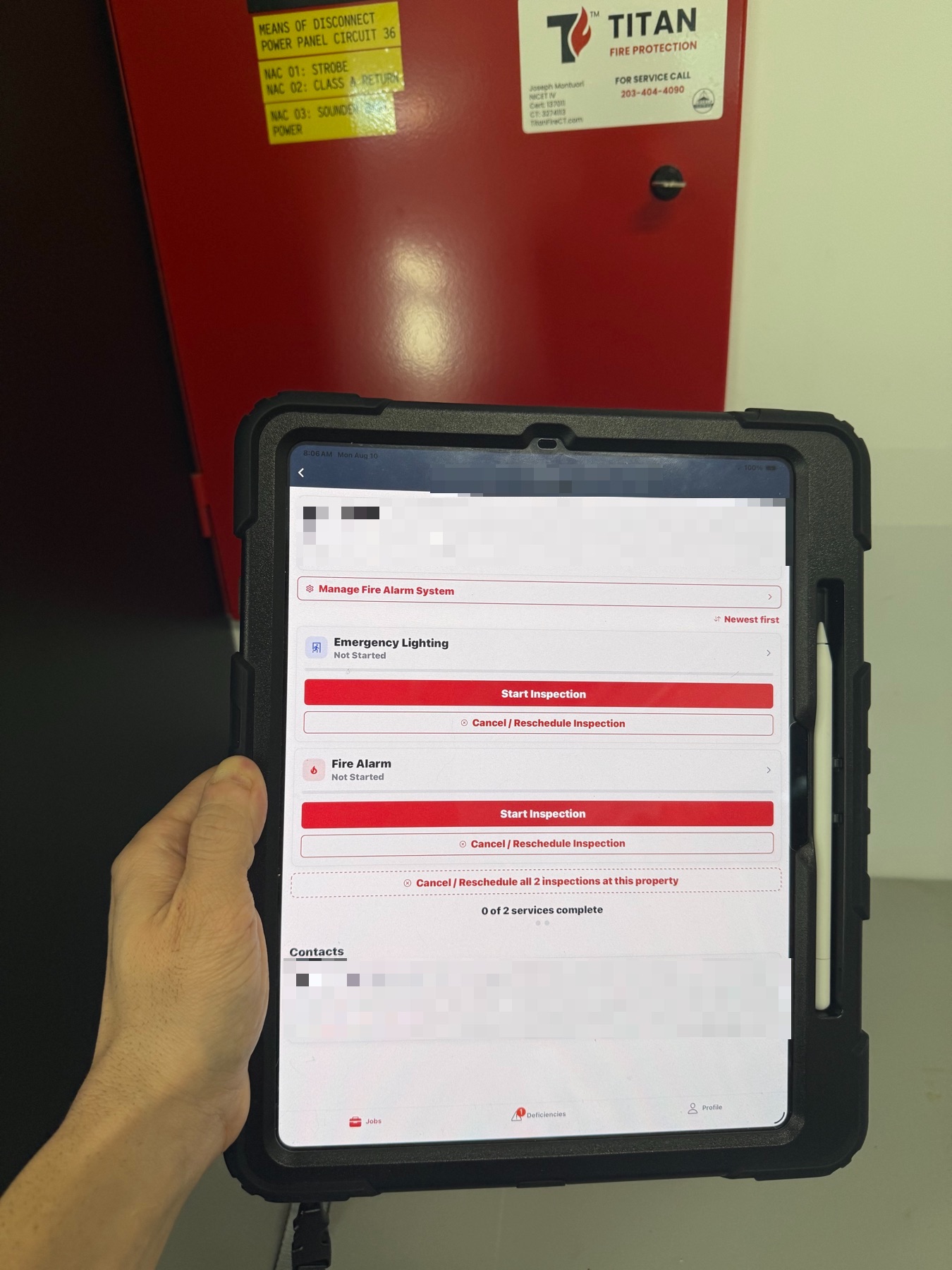
“I've been a fire alarm contractor for twenty years, and I'm still in the field every week with Titan Fire Protection. For most of those years the inspection was the easy part. The hard part came after: the hour at the kitchen table every night, typing up work I had already done in the building.
I was on an enterprise-level software solution. I voiced my opinions, and nothing changed. I guess I was too small: to be heard, I needed a minimum seat count. Not to mention, the software was terribly inefficient, because it was built without a real technician's knowledge of how we work in the field. In fact, it suffered enshittification. Be sure to ask our software engineer what that means in our industry.
A lot of inspection platforms show you everything, including services and work you don't even do, so you can't see what's what at a moment's notice. It's just a distraction. CodeGreen only shows the services you sell. We work a different way: no AI inspection assistant required, just good, time-tested code structure that we keep improving.
So I created proper workflows, and Sam Zimmerman, a senior software engineer, and I built CodeGreen together. It only asks about what the building has, and it holds up in a basement with no signal.
The app we built for the industry is the same app I use in the field. I run my own inspections on it, so if something slows a technician down, I feel it first. I wanted dark mode working on every device, and a choice of color palettes, and techs love it. And when a contractor tells us what they need, it gets heard, however small the shop is.
We built CodeGreen for shops like mine, and we pride ourselves on our customer support.”
Real people you can reach. Code Green ITM, CodeGreen for short, is written, built and supported out of our office and shop in Madison, Connecticut.
A fire alarm contractor with twenty years in the field, still testing devices every week. Every question in the app is written the way he asks it on a job.

An enterprise-level engineer who turns what Joe hears in the field into software that holds up in a basement with no signal.

Justin leads sales, and he comes from the field: 7 years as a technician and a Lead Technician since 2021. When you ask to see CodeGreen, you talk to someone who has done the work.

Most inspection software is designed by people who have never put a system on test. CodeGreen is built by Joe, an active NICET Level IV fire alarm contractor who is out testing devices and closing out reports every week, working side by side with Sam, an enterprise-level software engineer.
Joe knows why a conventional panel has device numbers instead of addresses, why a Flexput zone of pull stations belongs next to the addressable loop, and which call you make before you pull a station. Sam turns that into software that holds up in a basement with no signal. That is the difference: nothing in CodeGreen had to be explained to the people who built it.
The money does not really go to us. It goes back to your technicians and their time: the hour at the kitchen table that they get back, the questions they are not asked twice, the report that is finished when they close the truck door. A happy technician makes for a happy boss, and we have both learned that one first hand.
When you email support, you reach the two of us. When you ask for a feature, the person who hears it is the person who builds it. See what's new
“I got tired of small shops being priced out, and still getting asked about systems that aren't even on the property.”
Joe, on why he built itOffice and shop: 1 Orchard Park Rd, Madison, CT 06443
Your customers already trust you with their building. CodeGreen gives every system in it a frequency, a price and a due date, so the work comes back on the calendar every year instead of when something breaks. That is recurring revenue from the customers you already have.
Intrusion, video, access control and intercom systems each carry their own inspection agreement: monthly, quarterly, semiannual or annual, with their own price, their own technician and their own report. Sell the agreement with the install, and the visit schedules itself from then on.
Its own service on its own schedule, with an after photo of every camera required by default, so the customer sees exactly what the visit bought them.
The look, don't test visit NFPA 72 and NFPA 25 call for between tests, on its own cycle with its own price. Unmonitored protected premises systems need them most.
Panic and duress buttons, flood sensors and freeze sensors. Small devices that are easy to forget, and every one is a line on the annual.
Standby sets, wireless device batteries, alarm permits and licences show on the Dashboard before they come due. Every one is a service call you knew about first.
Start with one year of installs. The figures below are what one of our customers sells in a typical year. Count the systems you installed or look after, and put in what you would charge for one inspection a year. These are your numbers and your prices; nothing is sent anywhere.
85 systems on an annual inspection agreement, each scheduled, reported and renewed.
In CodeGreen a visual is its own inspection schedule, with its own frequency, its own due dates and its own fee. It applies to fire alarm and to water-based systems alike.
It matters most on a protected premises fire alarm system that was grandfathered in and is not being monitored: the code holds those to a tighter inspection frequency, so the visual schedule is not the annual schedule. Remote annunciators, meanwhile, want a visual every year whatever else is happening.
120 visits a year, scheduled on their own frequency and counted in your recurring revenue.
Add a service the week you sell the agreement. The property gets the tab, the schedule picks up the frequency, and the revenue shows on your Dashboard straight away.
Fifteen minutes of every inspection spent writing N/A down a section the building does not have, then checking you did not miss something real in among it. Put your own numbers in.
Drag to match how you actually work.
That is 360 hours a year your technicians spend on questions the building could never answer.
CodeGreen asks what the building has, once, and then never asks again. No central station on the system means no central station section, on the phone or on the report. That is time back in the field on every visit. The other half of the maths, the work you could be selling, is just above.
Fire, life safety, water-based and security. Every service schedules the same way, inspects the same way on the phone, and prints the same clean report. Put three of them on one visit and the customer gets one combined report.
No add-on modules. Schedule a water-based visit at its NFPA 25 interval, weekly through five-year, and the technician is asked exactly what's due for that kind of system. Nothing missing, nothing extra. Security services are separate switches, so a video-only customer never sees a fire tab, and a security finding never prints inside an NFPA report.
Intrusion, video surveillance, camera cleaning, access control and intercom are five inspection programs on the phone and in the office, each with its own report. If you install both, the security side stops living in a spreadsheet.
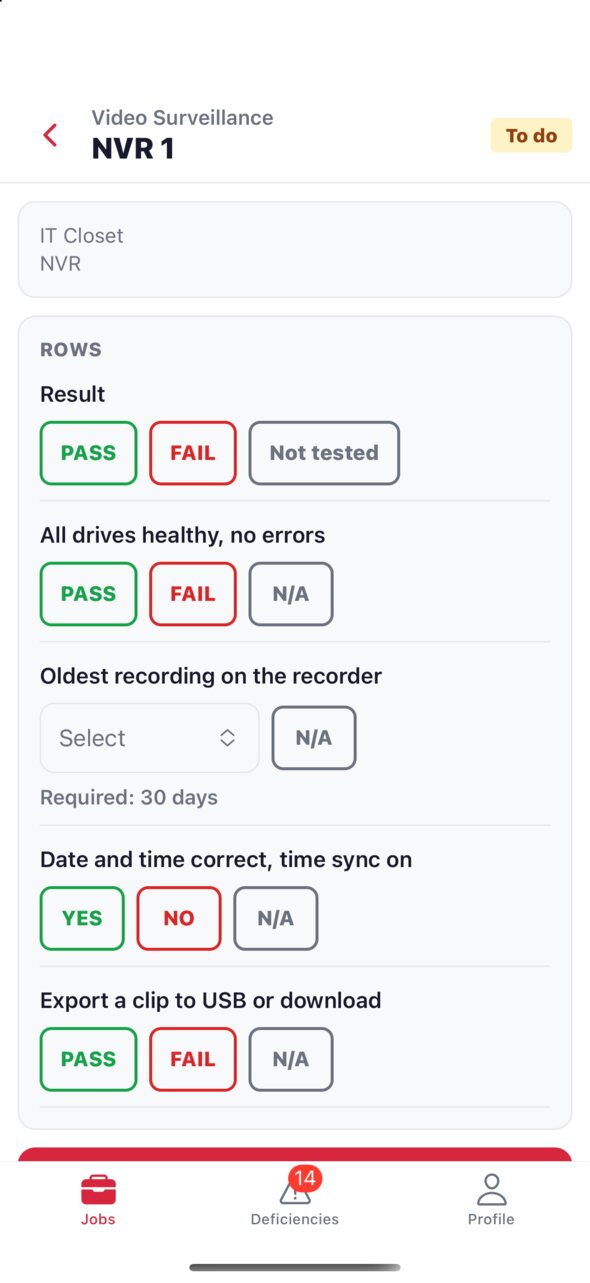
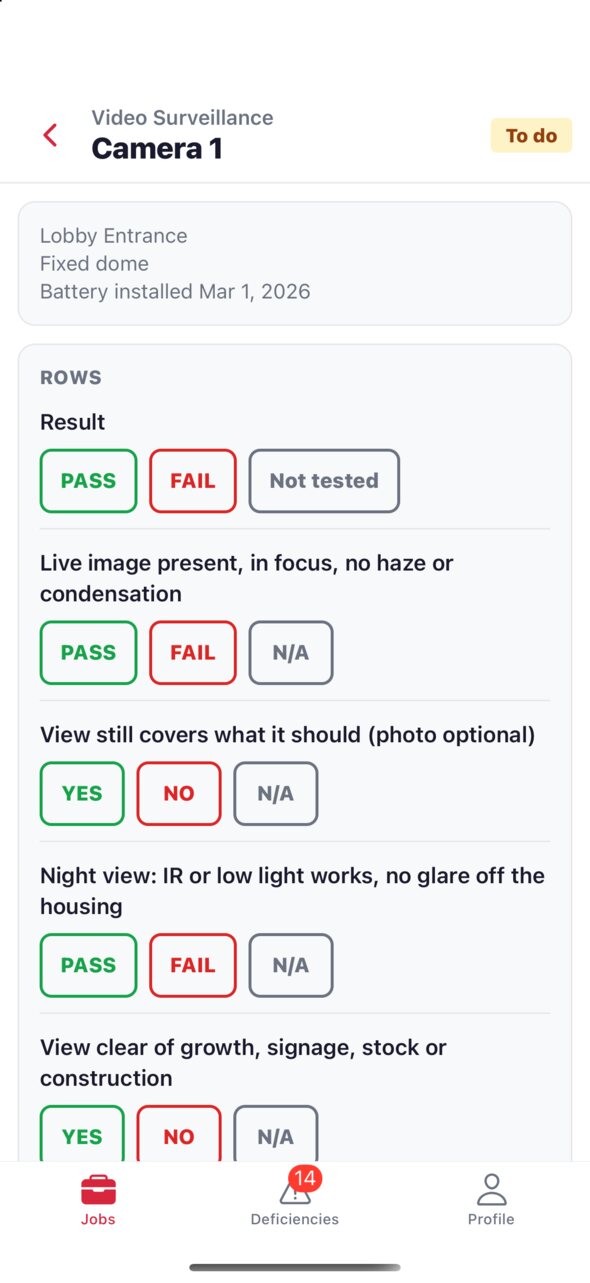
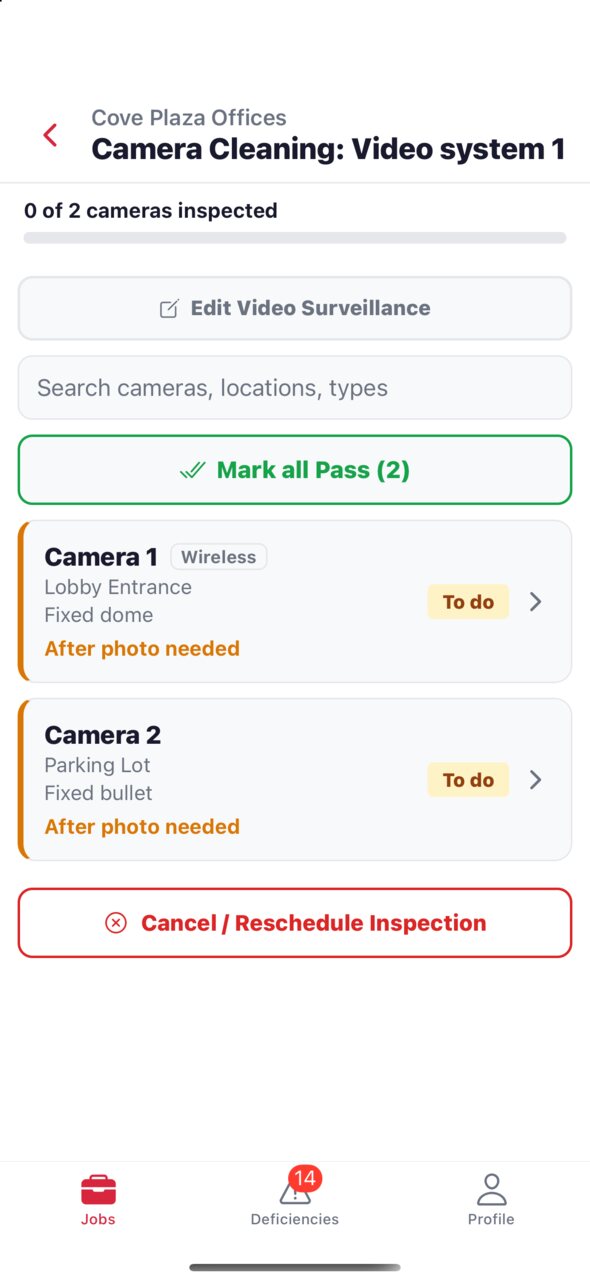
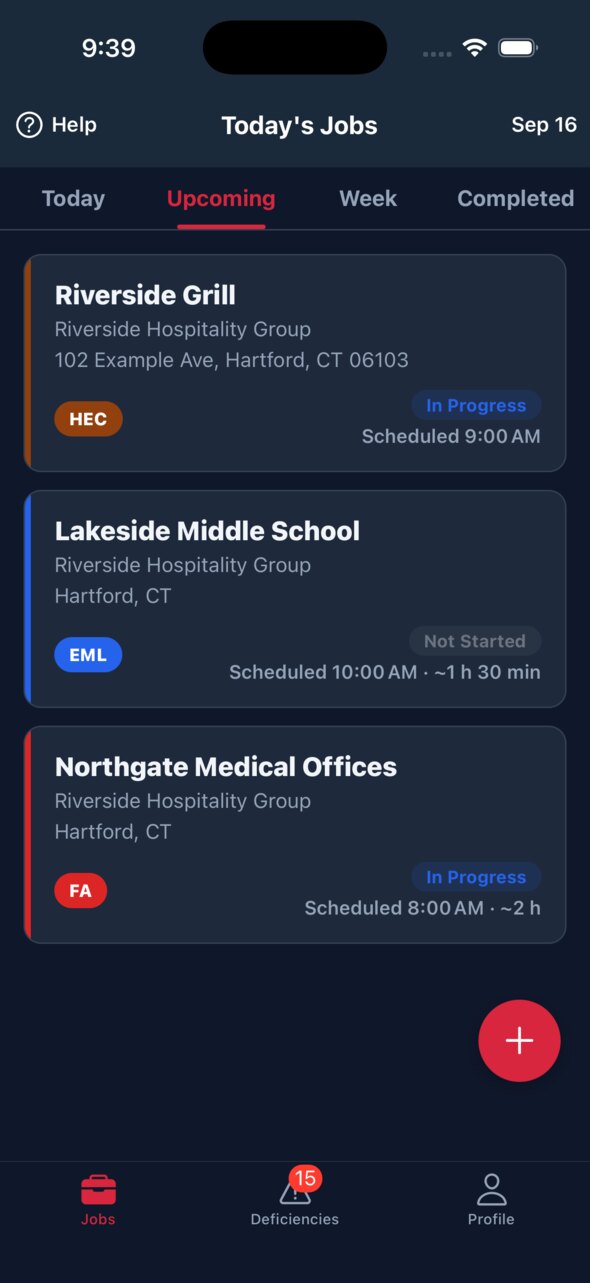
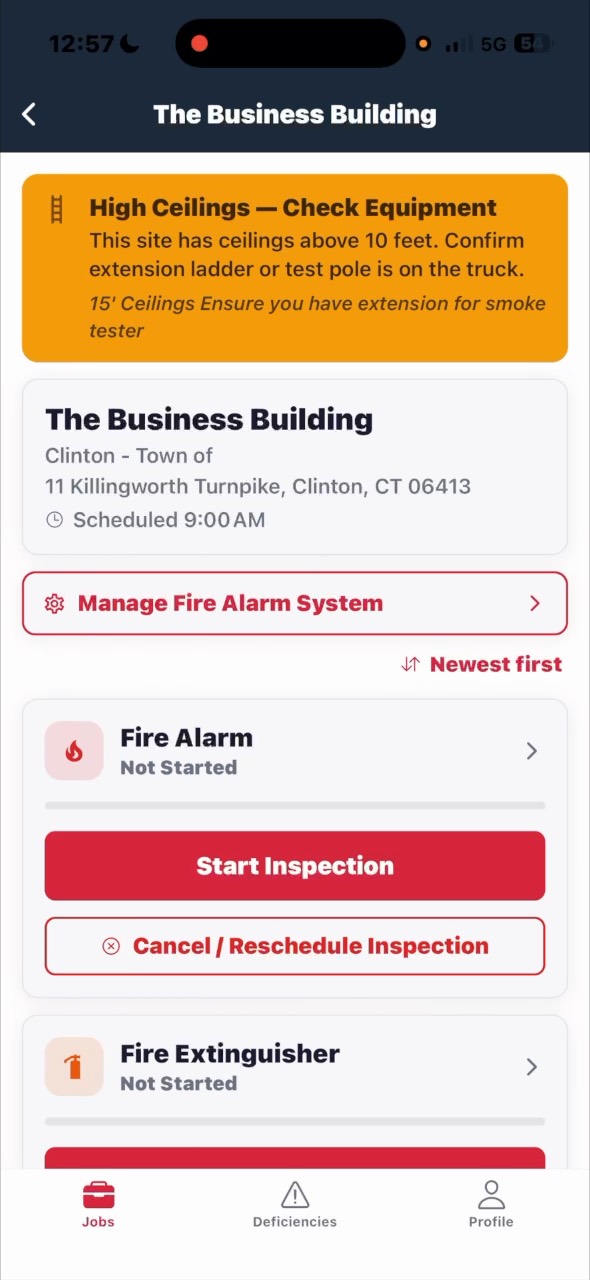
Phone screens from a real security inspection on a demonstration property.
Nobody in this trade shows you their reports. You're expected to sign up and find out. These are real PDFs, exactly as the app produced them. Print one, hand it to your AHJ, see whether it holds up.
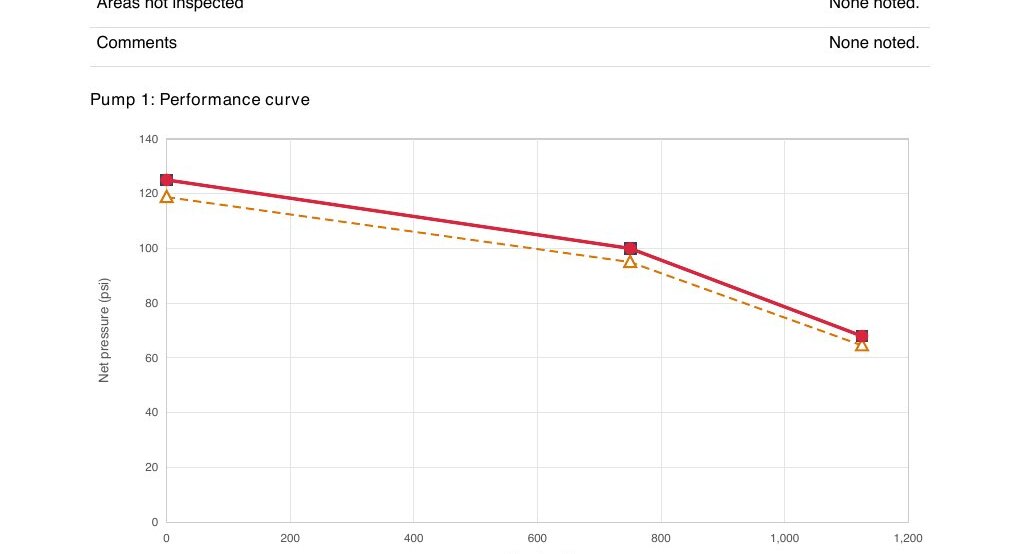
Record churn, 100% and 150% flow on the phone and the curve plots live against the manufacturer's curve and the 95% line. Any point below it is flagged, and last year's curve prints beside it.
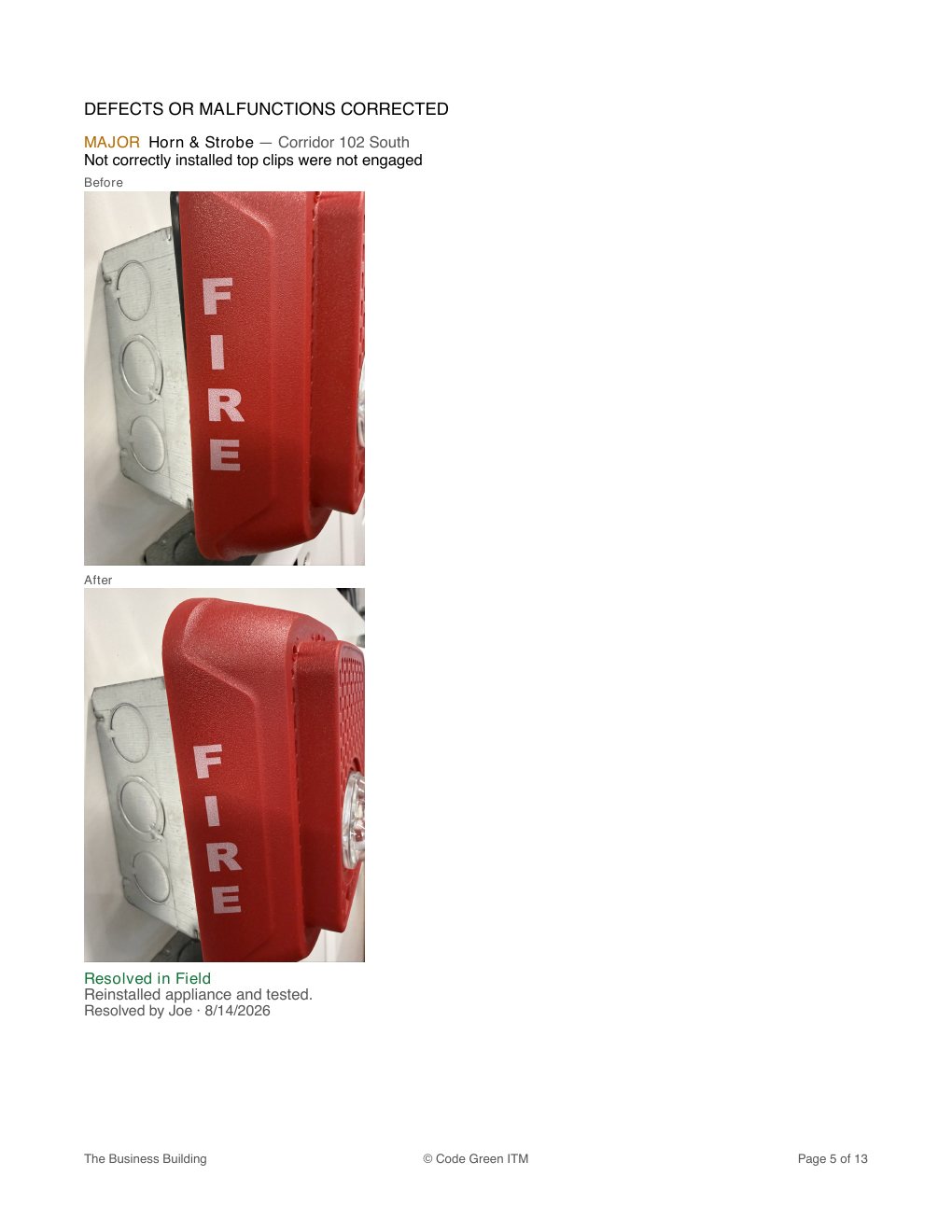
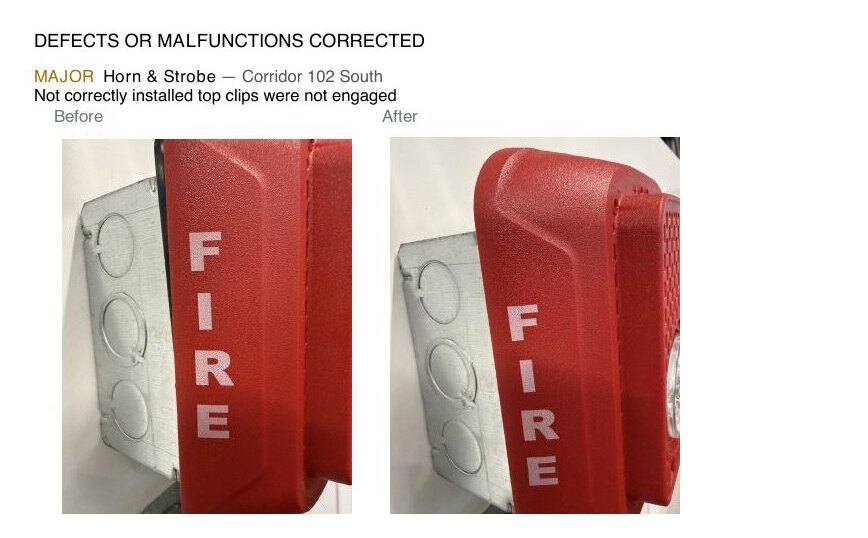
A problem found and fixed on site prints with its severity, what was wrong, and both photos. The customer sees the work, not a line item.
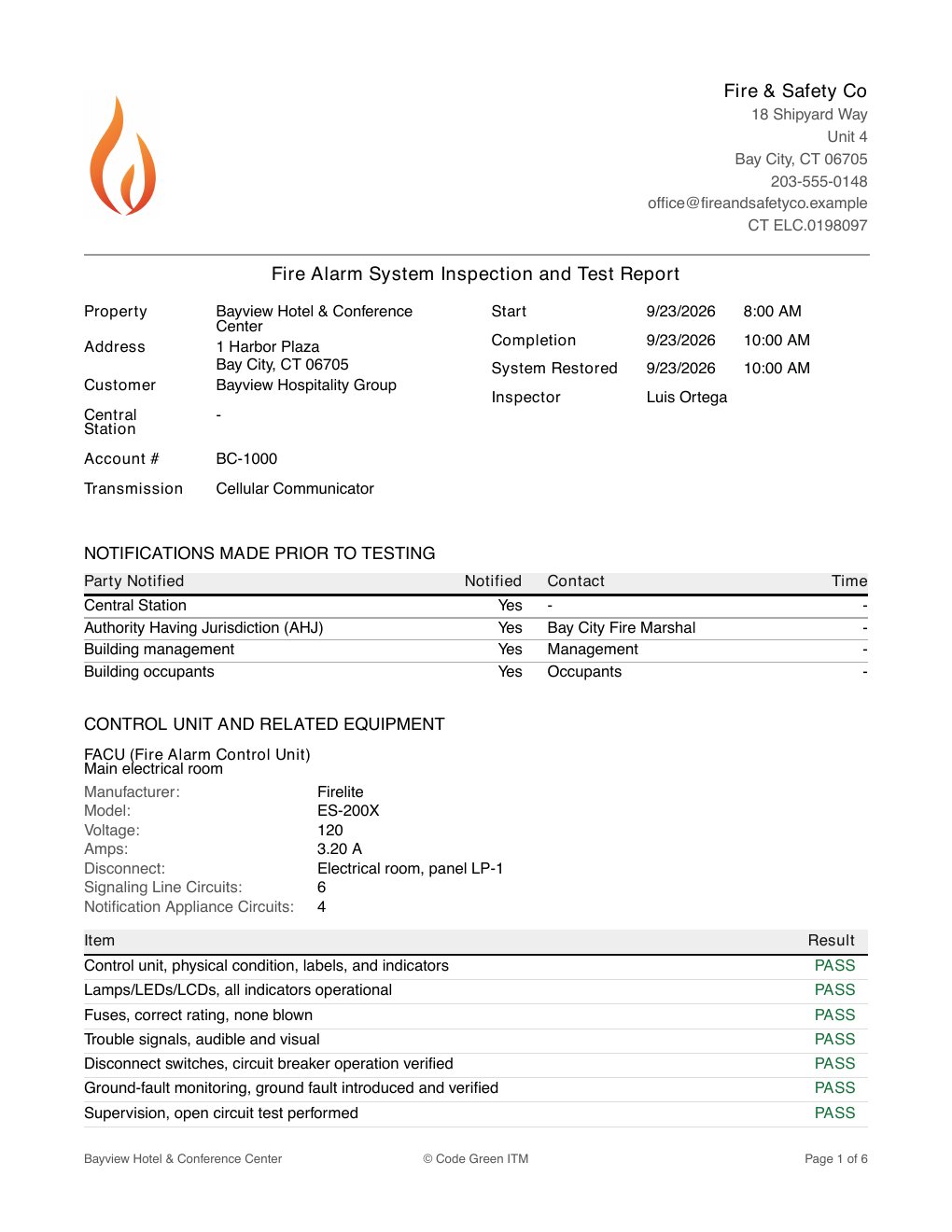 Fire alarm, NFPA 7234 initiating devices and 26 appliances, addressed and tested, with one deficiency fixed on site and one left open. 10 pages.
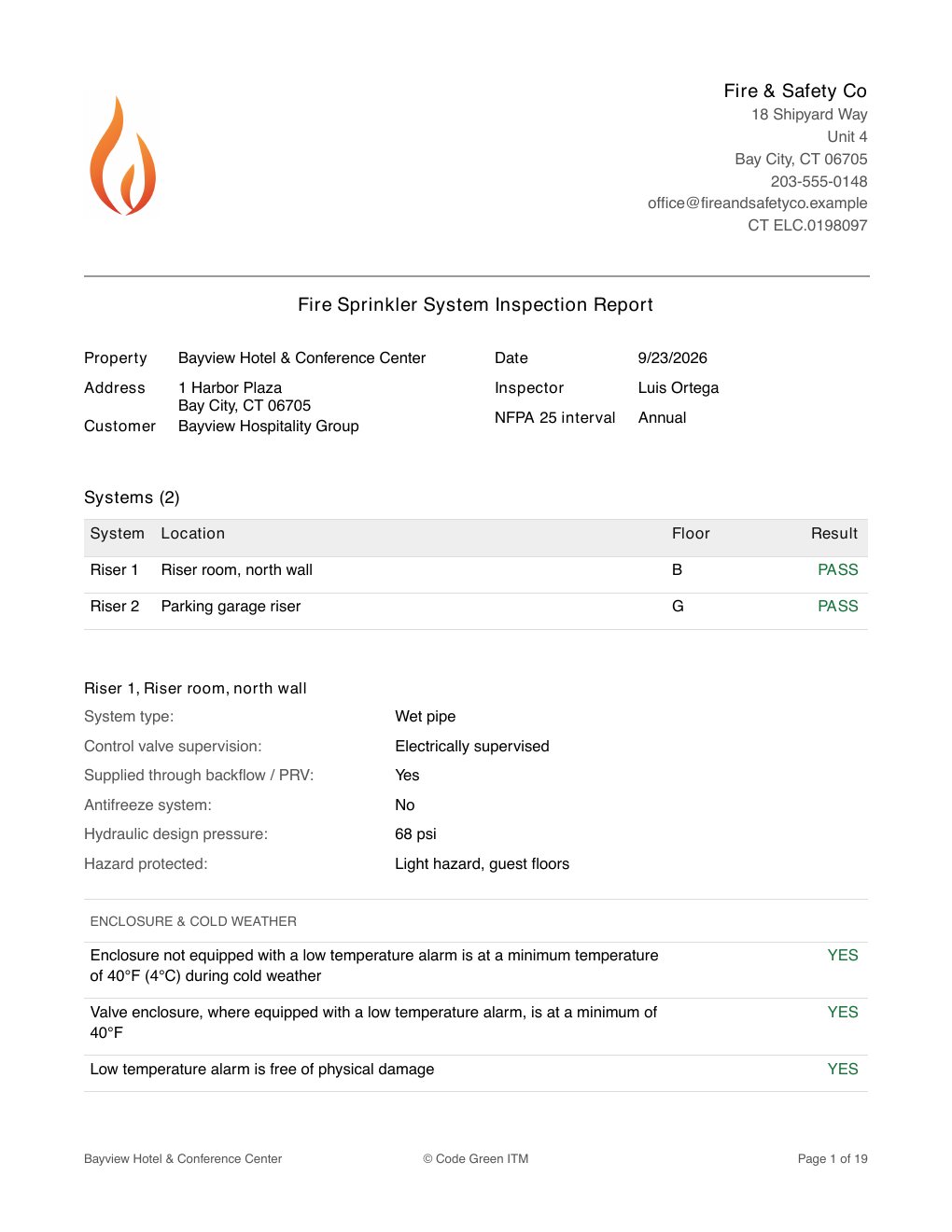 Fire sprinkler, annualWet and dry risers at their NFPA 25 interval. 19 pages.
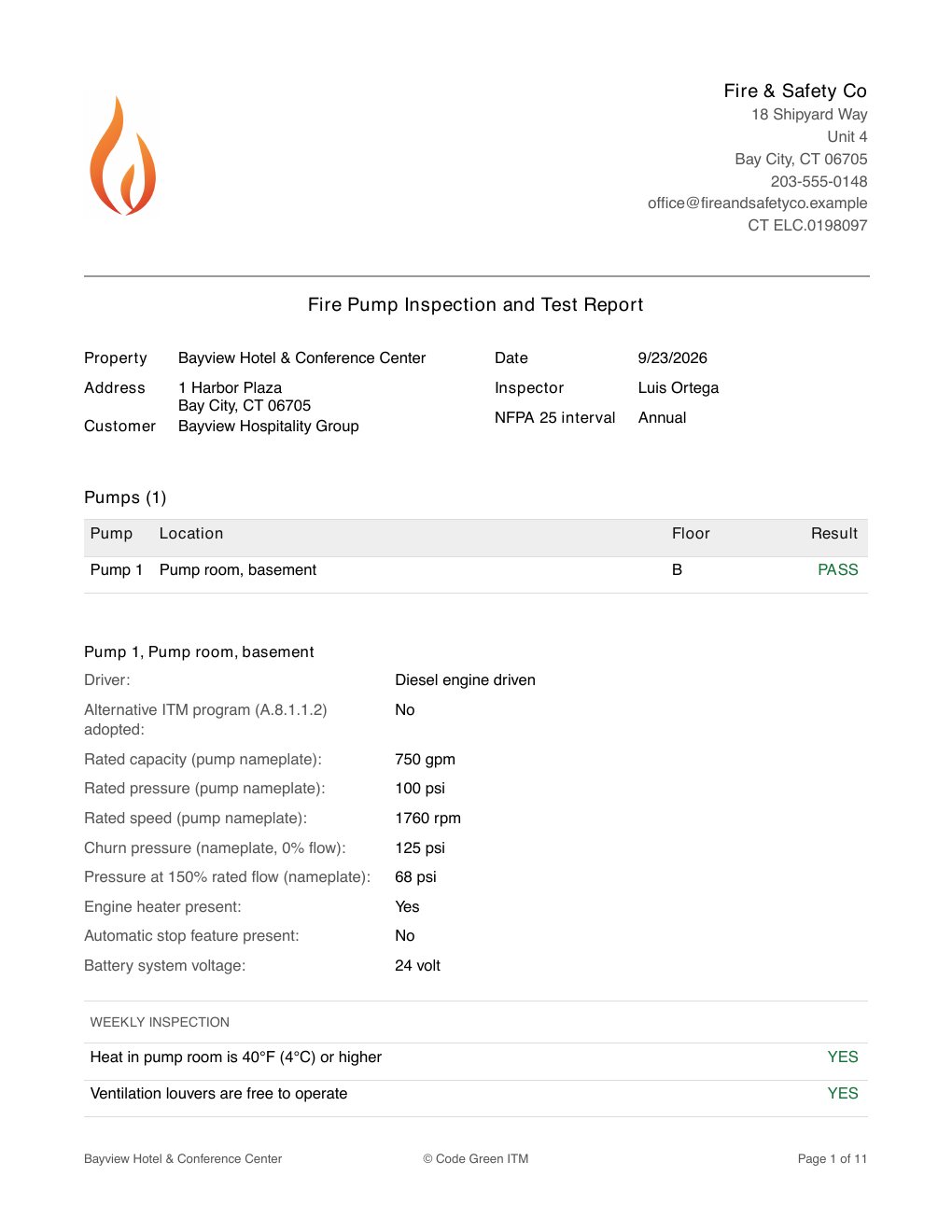 Fire pump, annualDiesel pump, full flow test and the performance curve. 7 pages.
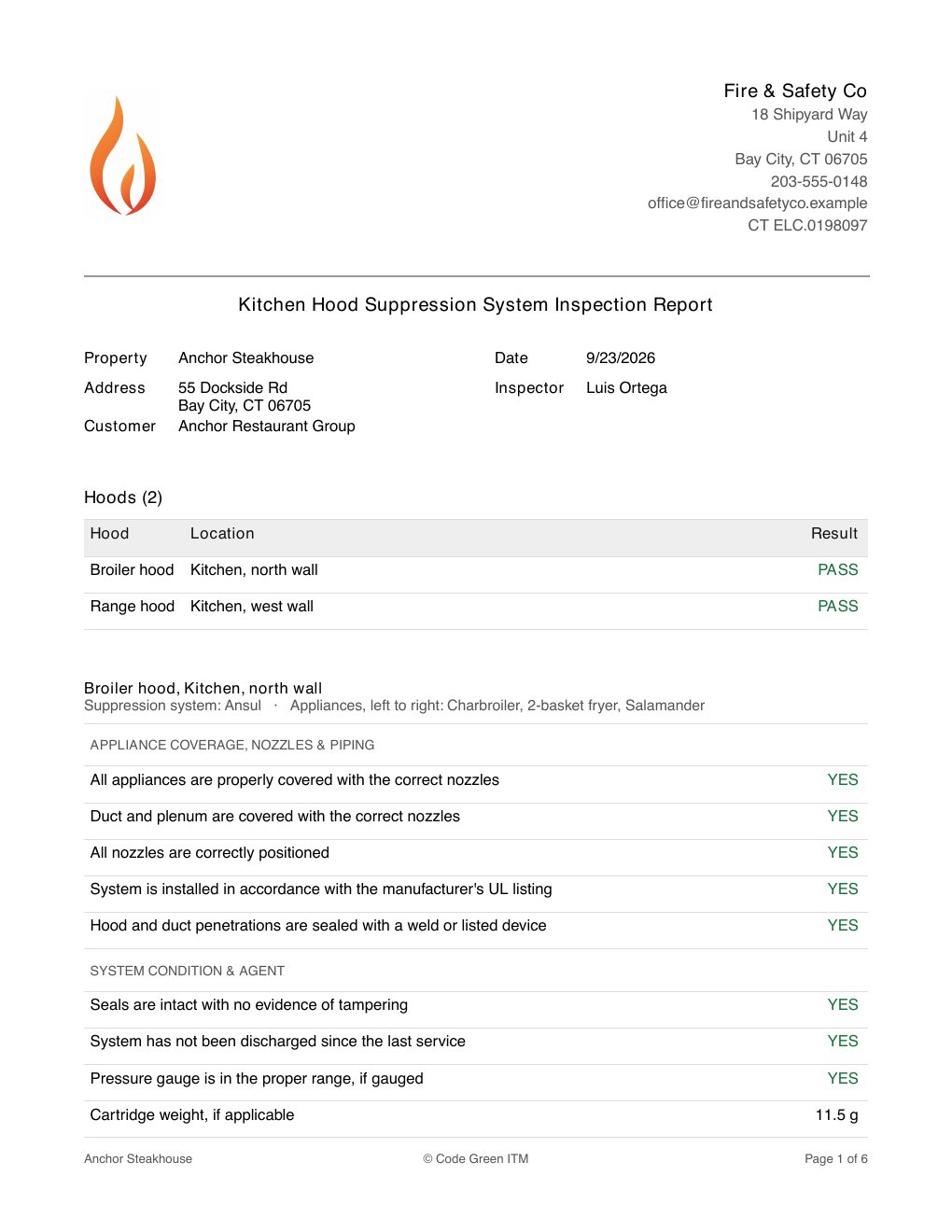 Hood suppression, NFPA 96 and NFPA 17ATwo hoods, nozzles, links, agent and the authority items. 6 pages.
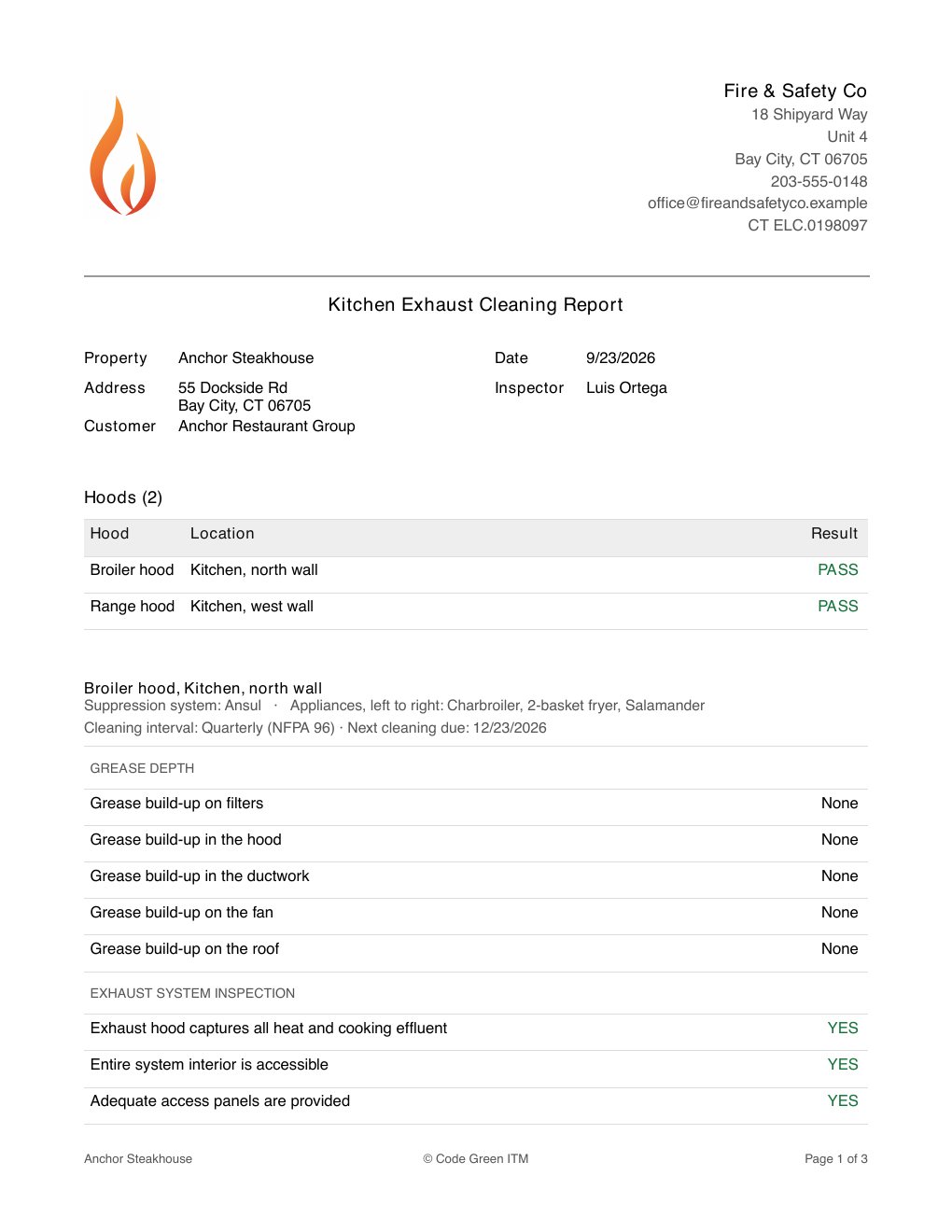 Hood exhaust cleaningGrease depth at filters, hood, duct, fan and roof, with the next cleaning date. 3 pages.
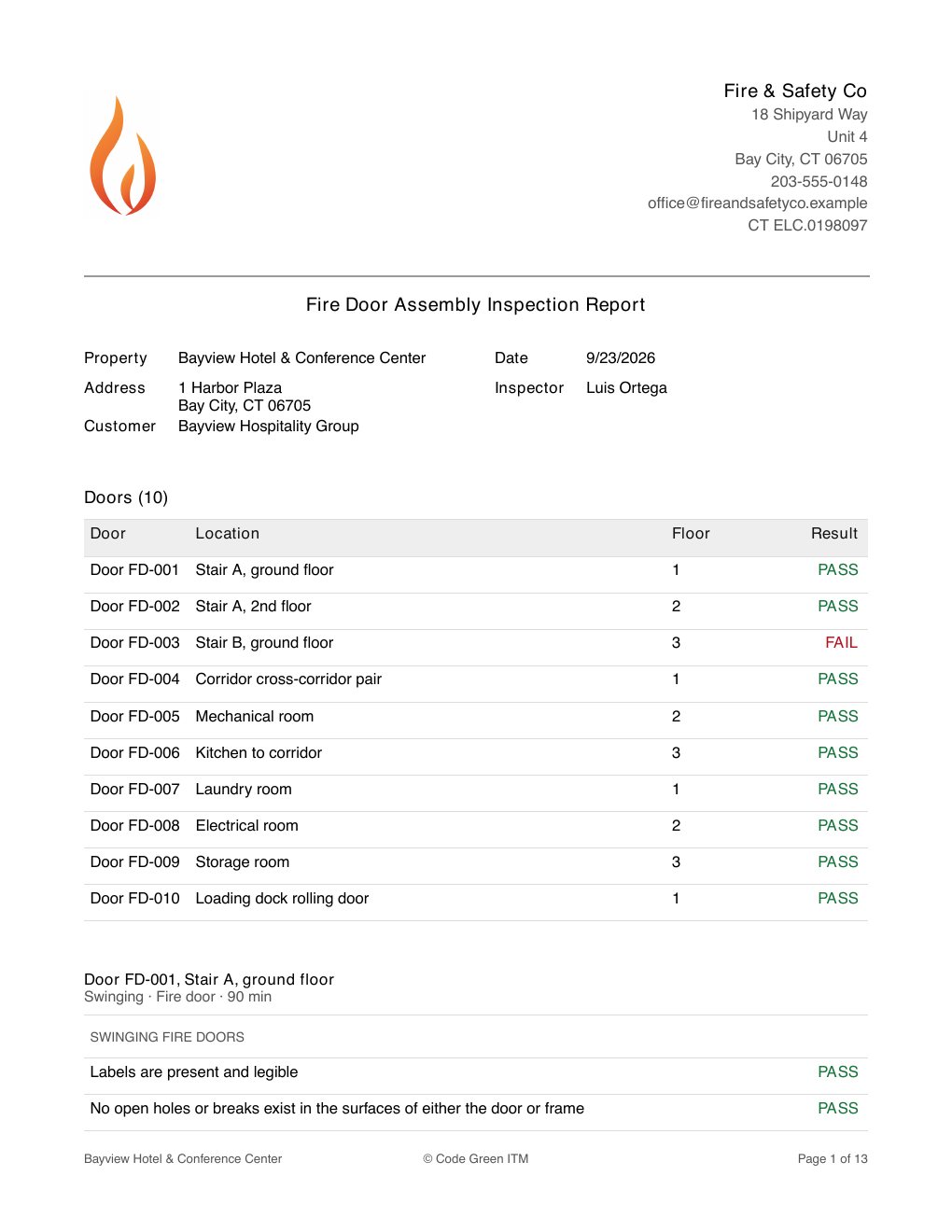 Fire doors, NFPA 80Ten assemblies, swinging and rolling, with clearances and one open deficiency. 10 pages.
Every report here came out of the app today, from one demonstration company. Your own logo, licence number and company details print in the header. Make, model and serial numbers stay internal.
Every feature either saves the technician time in the field or hands the office clean, compliant paperwork. If it does neither, it isn't in here.
Day, week and month views with every technician's visits live as they update from the field. Schedule from the board, block time off, filter by service, and only see technicians qualified for the work.
Included in your plan, and entirely optional. A one person shop can switch the board off in Settings and never look at it again.
Mark which services each person is qualified to perform. Set a technician per service on each property, and an unqualified pick is flagged before it's saved. Someone leaves? Reassign everything they hold in one step.
NFPA 72 asks for visuals more often than tests. Set the visual frequency on the property and a look, don't test visit is scheduled on its own cycle: only the visual items are asked, and it carries its own due dates, overdue list and price, on its own line in your Recurring Inspection Revenue.
Every question was written by a contractor who still runs these inspections, so it asks what the job asks, in the words the trade uses. Nobody had to explain the work to the people who built this.
A spreadsheet-style Manage grid on every register, with real dropdowns, paste and fill-down. Only the rows you changed get saved.
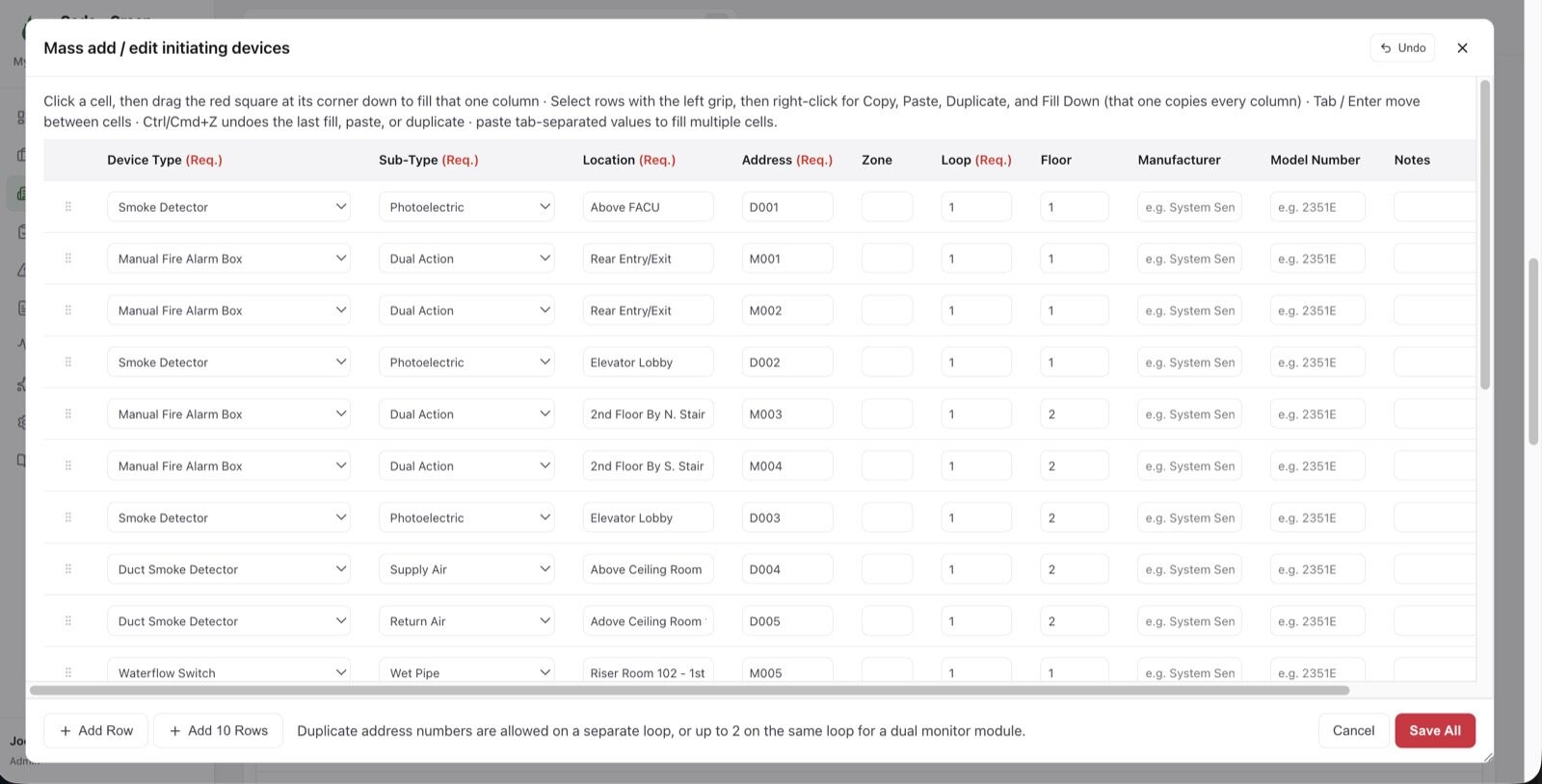
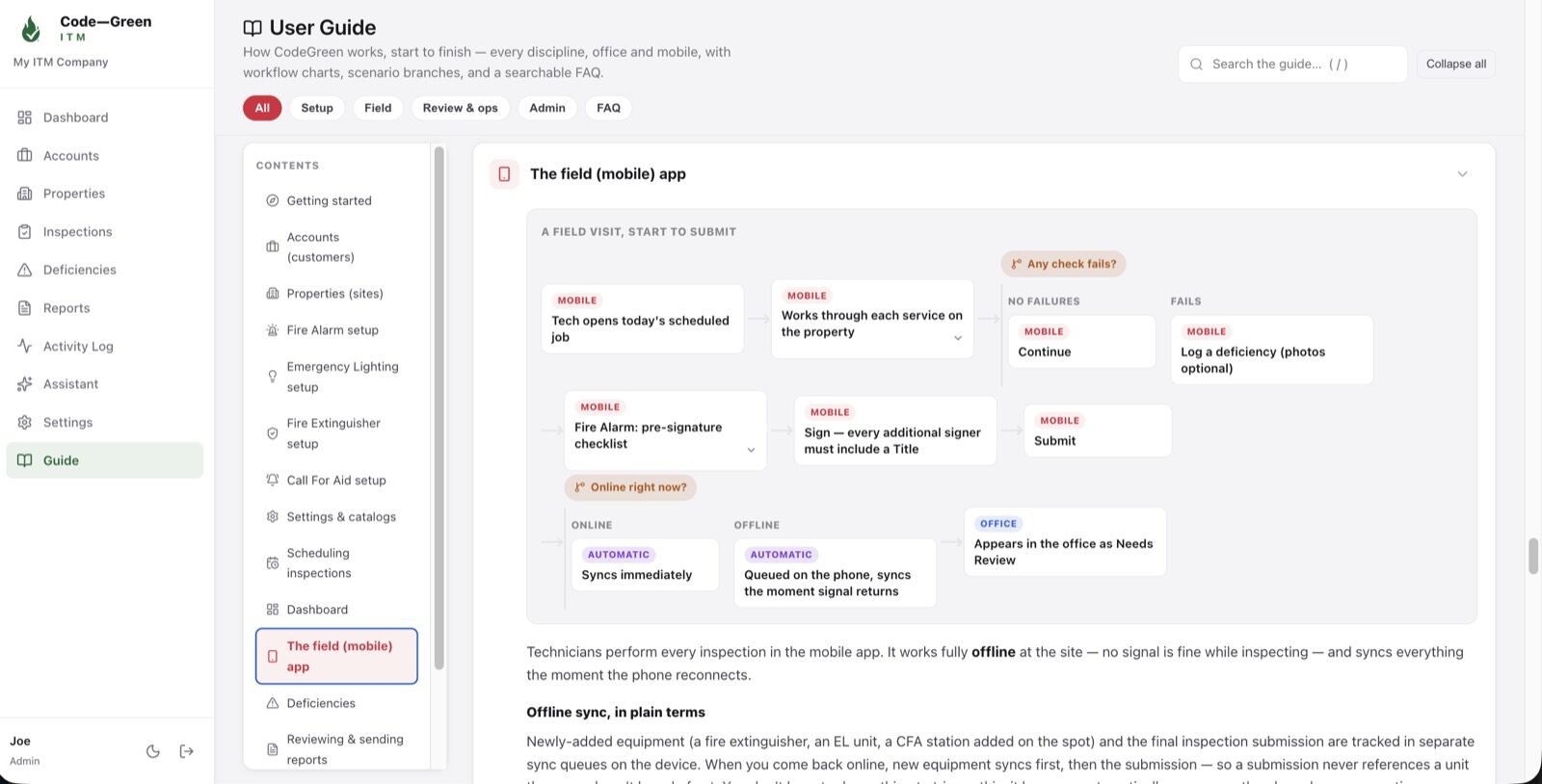
Every discipline's workflow, searchable, on the office app and on the phone, and readable with no signal.
Pull a report for one deficiency, or a set of them, and send it to the trade that fixes it. The electrician takes the emergency lighting work, does it, and it comes back recorded as resolved by others, with who did it and when, on your report.
The first time you sign in, the app asks how you run and builds a setup list around your answers, so the system is shaped to your shop from the start. Switch on only the services you sell today and add the rest as you grow. No implementation call, no 90 day project.
Answers the standard decides lock automatically, with the reason shown. A dry chemical hood system is never UL 300. A Class I standpipe has no hose dates.
Set the property up once. No central station on the system? You're never asked a central station question. No more pages of N/A.
There is no implementation project and nobody to wait for. The app asks how your shop runs, then walks you through setting it up in the order that makes sense, and you can stop and come back whenever the phone rings.
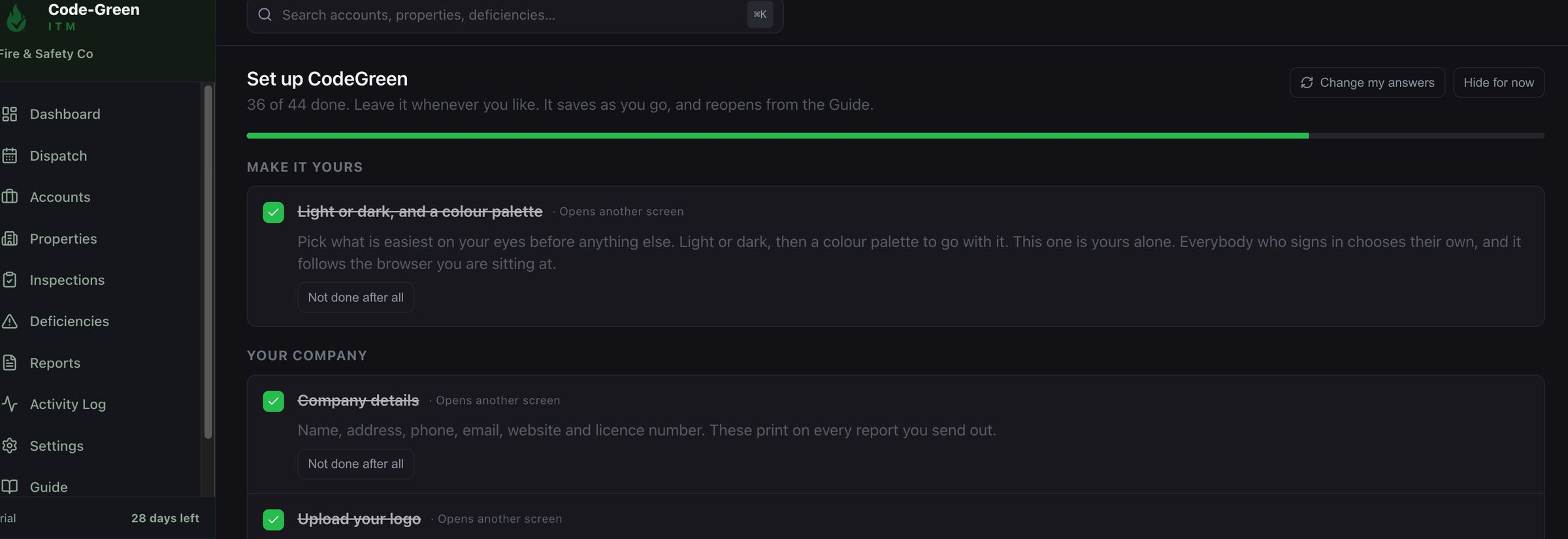
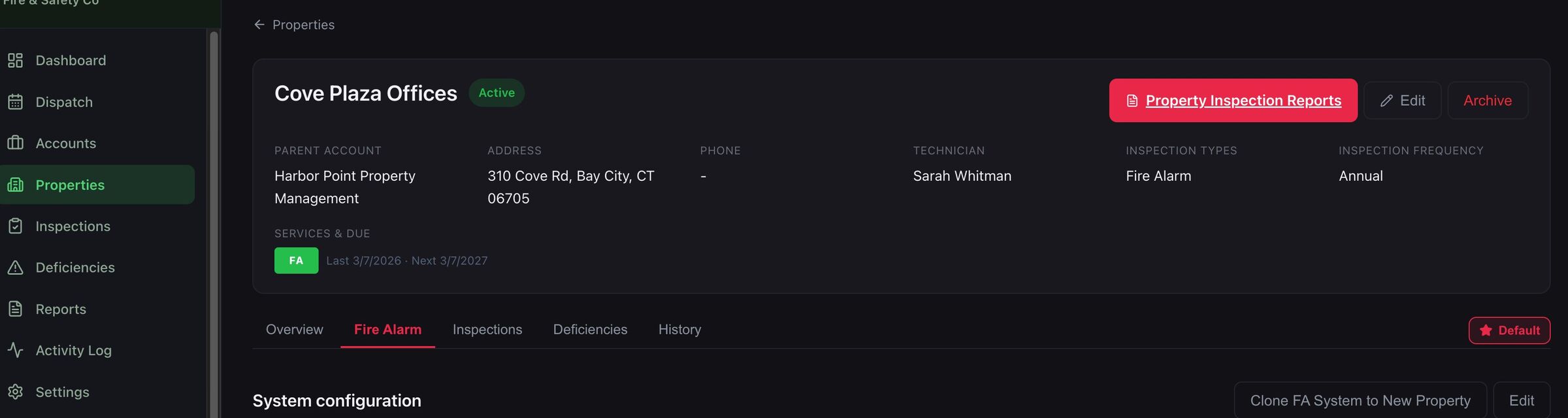
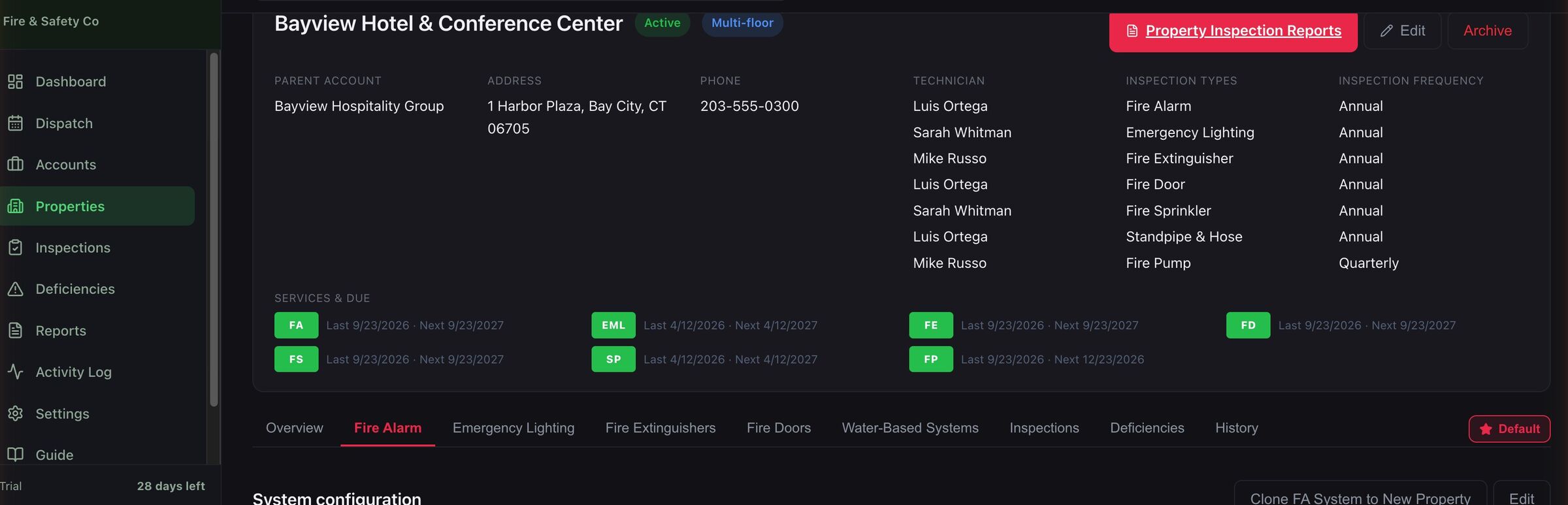
You turn on what you sell today. Add a service the week you win the work, and the tabs, the schedule and the reports follow.
A point report, a device schedule, even a photo of a printed list. The assistant reads the rows and proposes each device, and nothing is saved until you have looked at it.
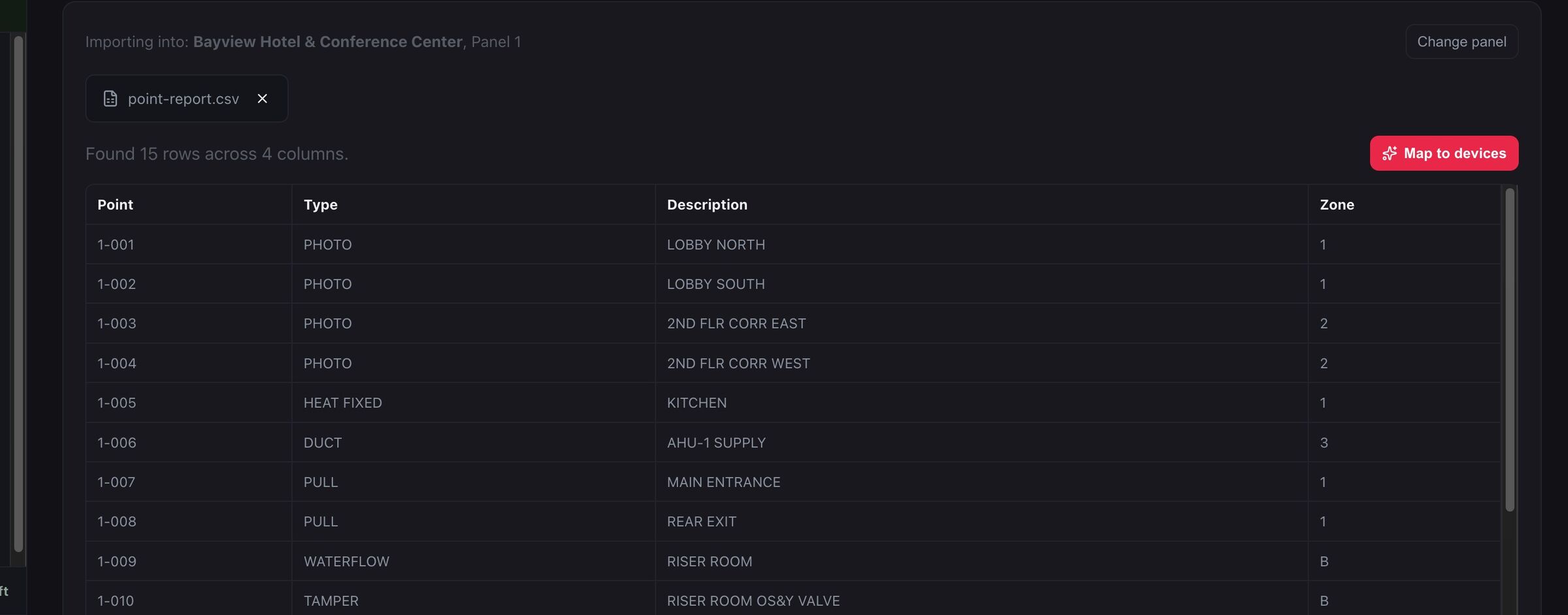
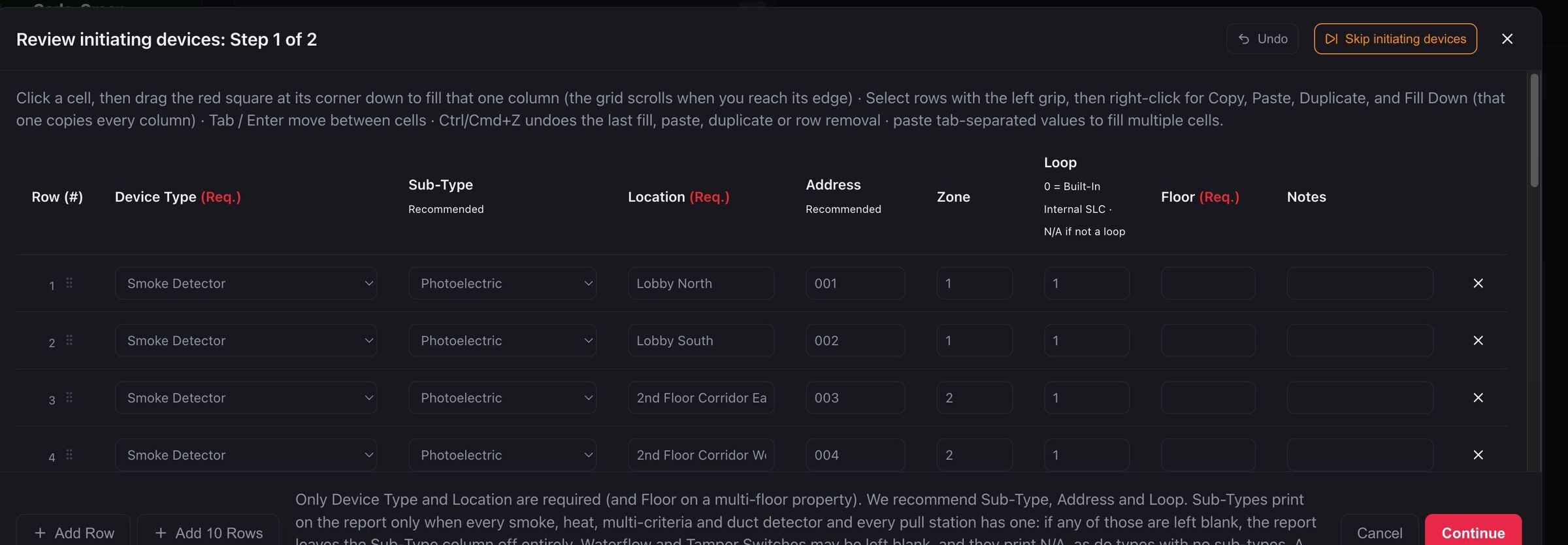
Both screens are the real import, run on a demonstration property while this page was written.
A real fire alarm and extinguisher visit on the phone. No edits, no voiceover, no stock footage.
Just under nine minutes, real time, one property.
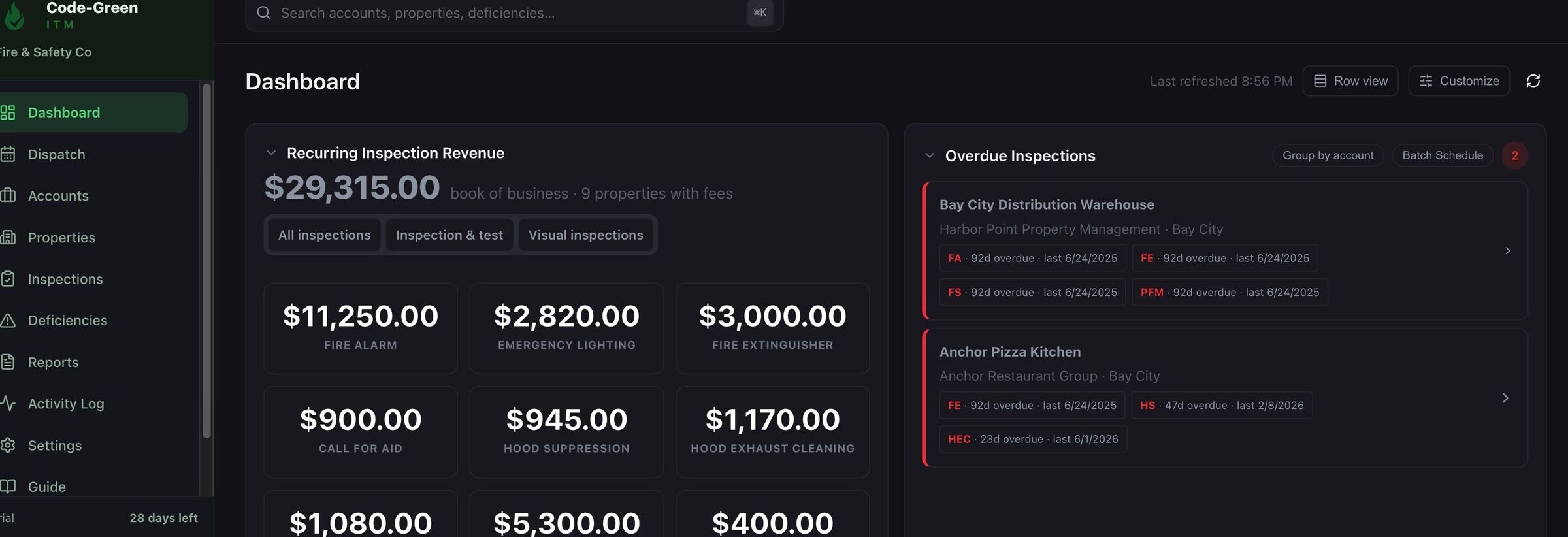
Actual screenshots from the application, taken today. Nothing is drawn, mocked up or staged.
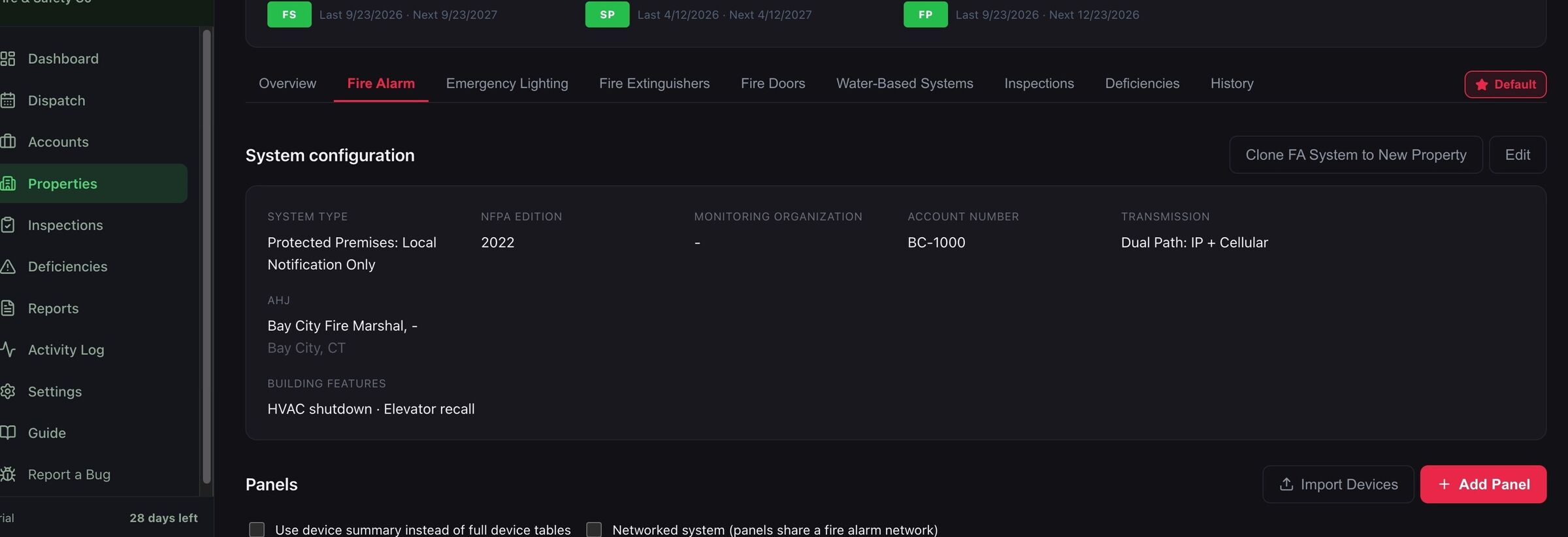
System type, NFPA 72 edition, monitoring, account number and transmission, plus the control functions that decide what gets asked in the field.
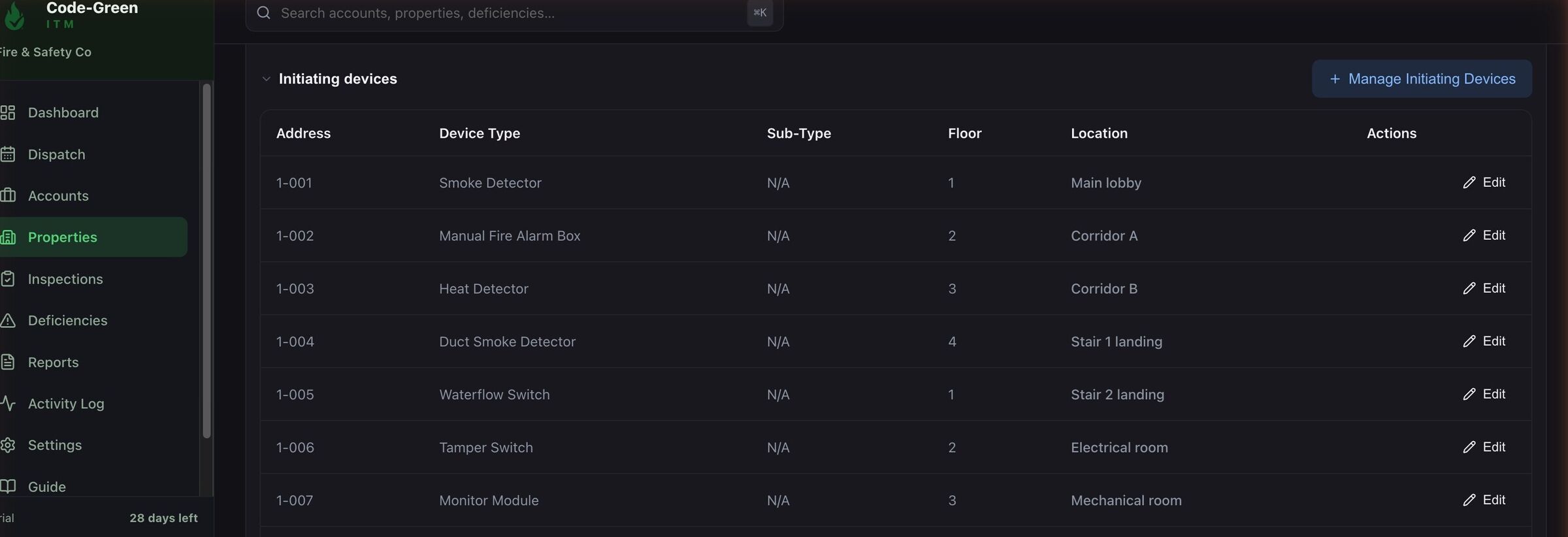
Initiating devices, notification appliances, interface modules and batteries, entered once and reused on every visit after.
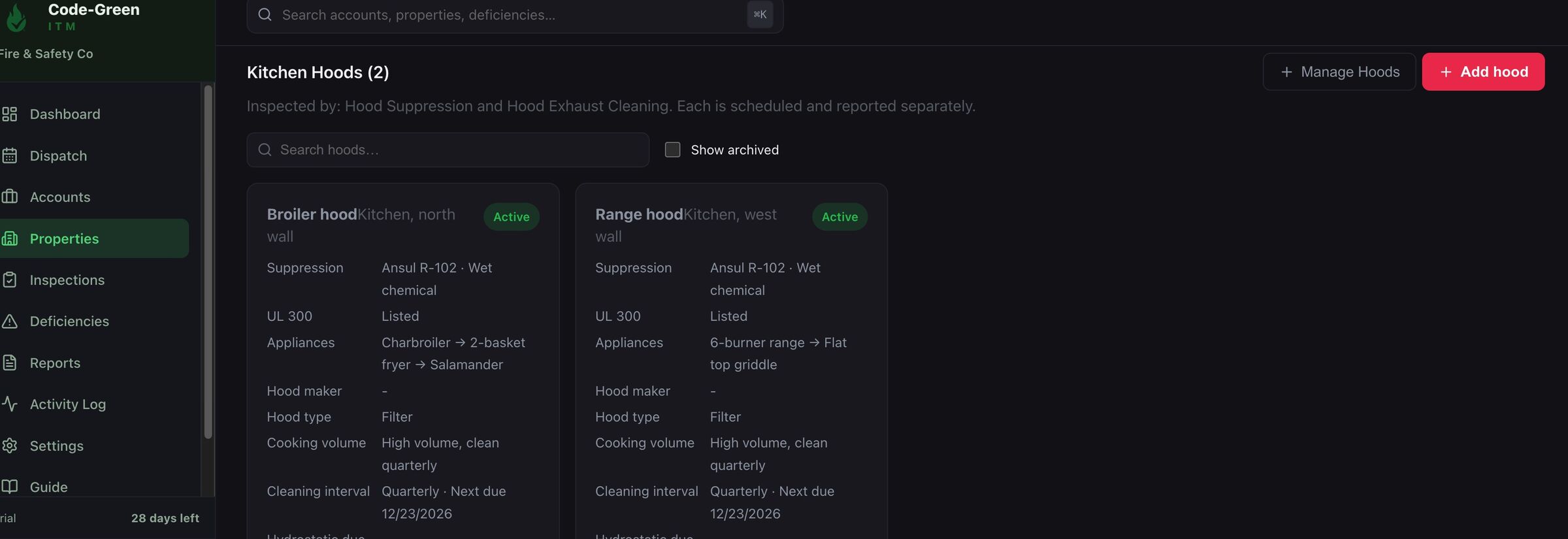
Suppression system and agent, UL 300 listing, appliances under the hood, cleaning frequency and the dates that drive the next visit.
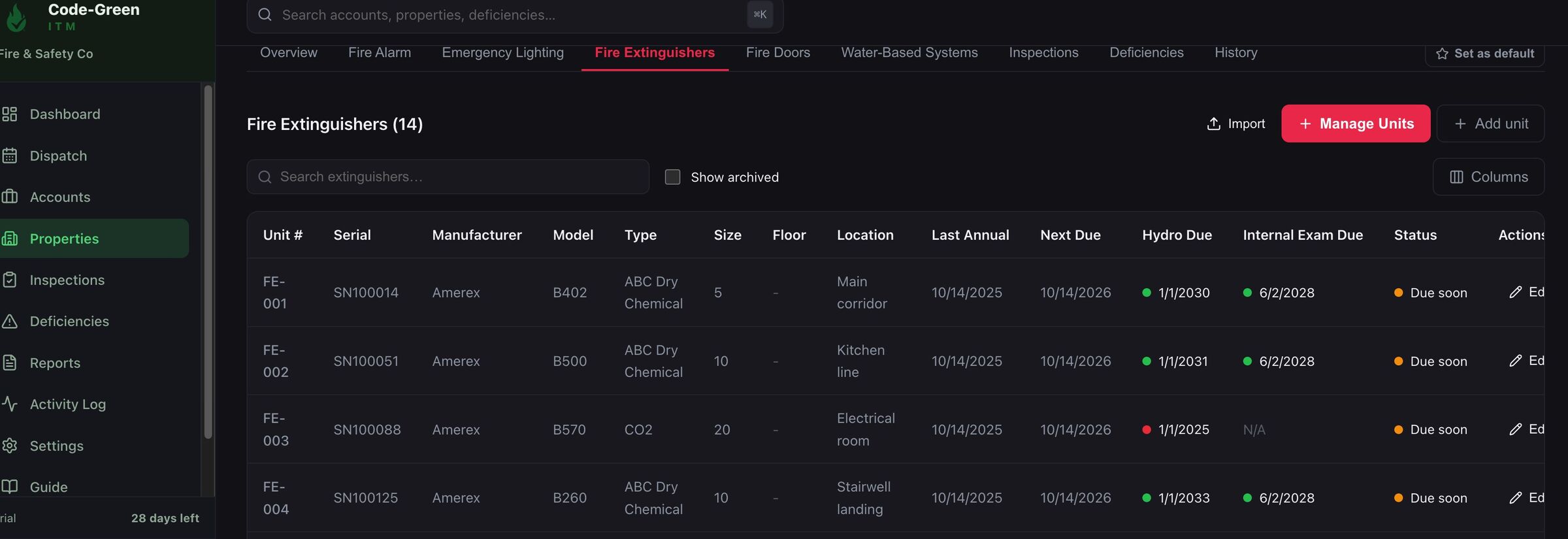
Serial, type, size, floor and location, with the next date for each service and a status that turns amber before it is late.
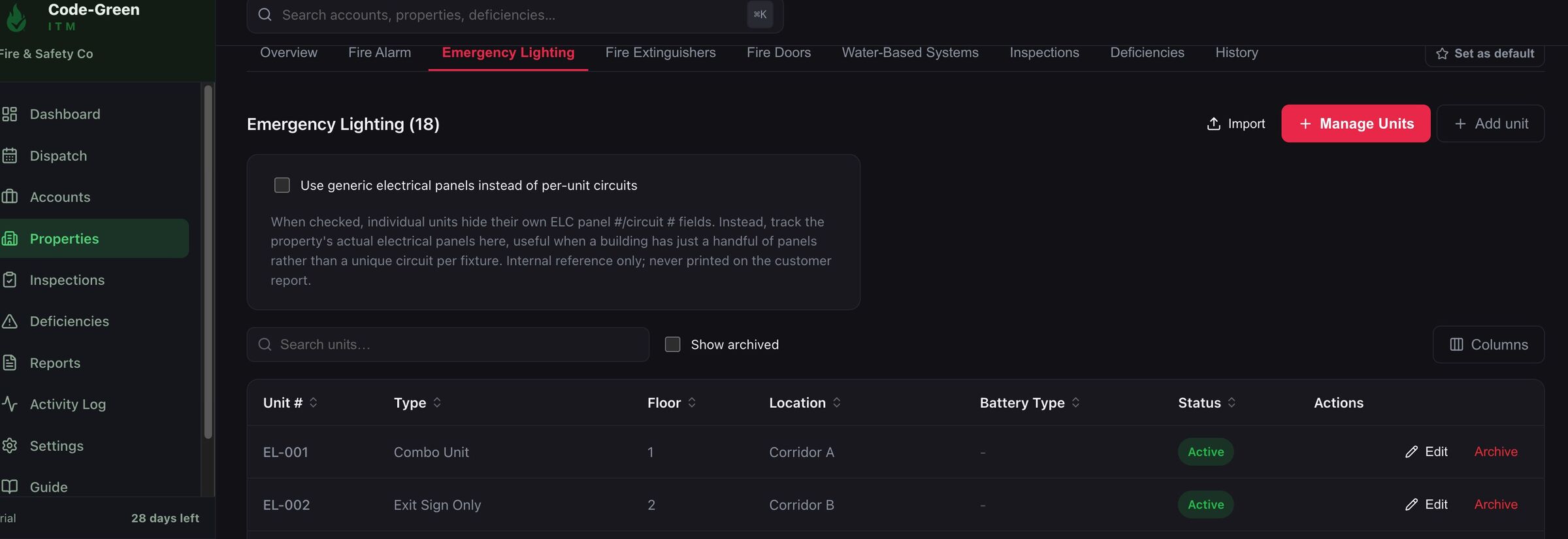
Every unit by number and location, with head counts and the battery details the test depends on.
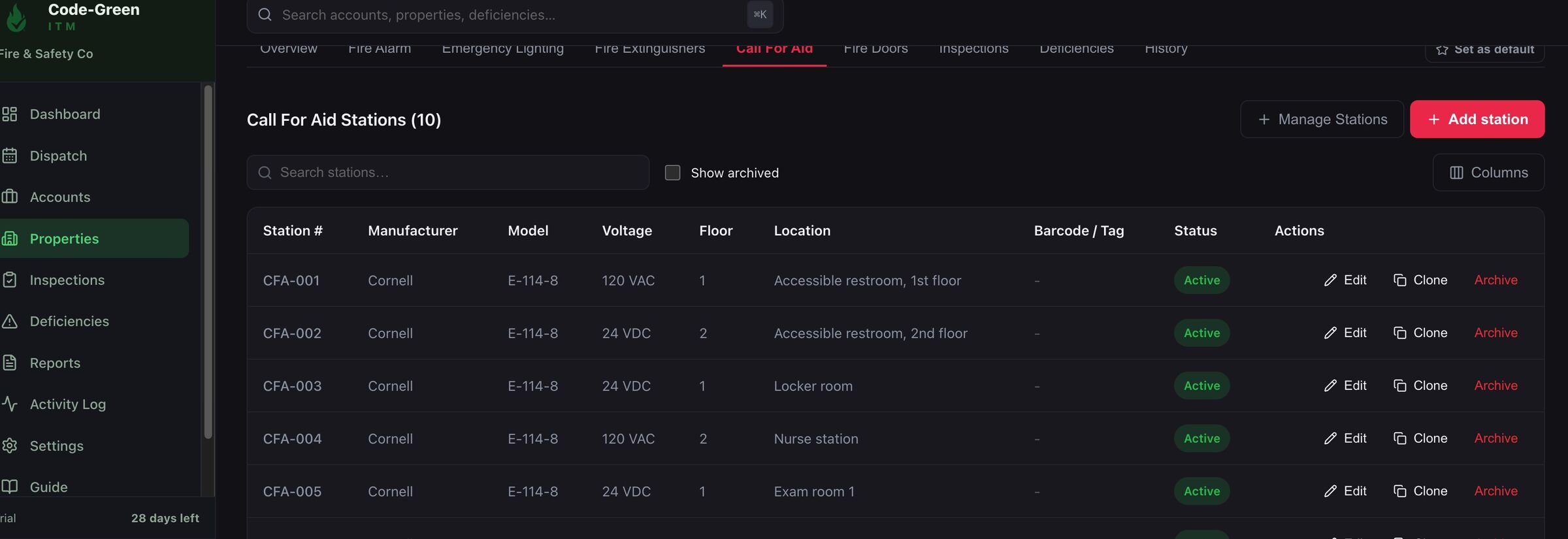
Station number, voltage, floor and location, inspected and reported on their own, not buried in the fire alarm report.
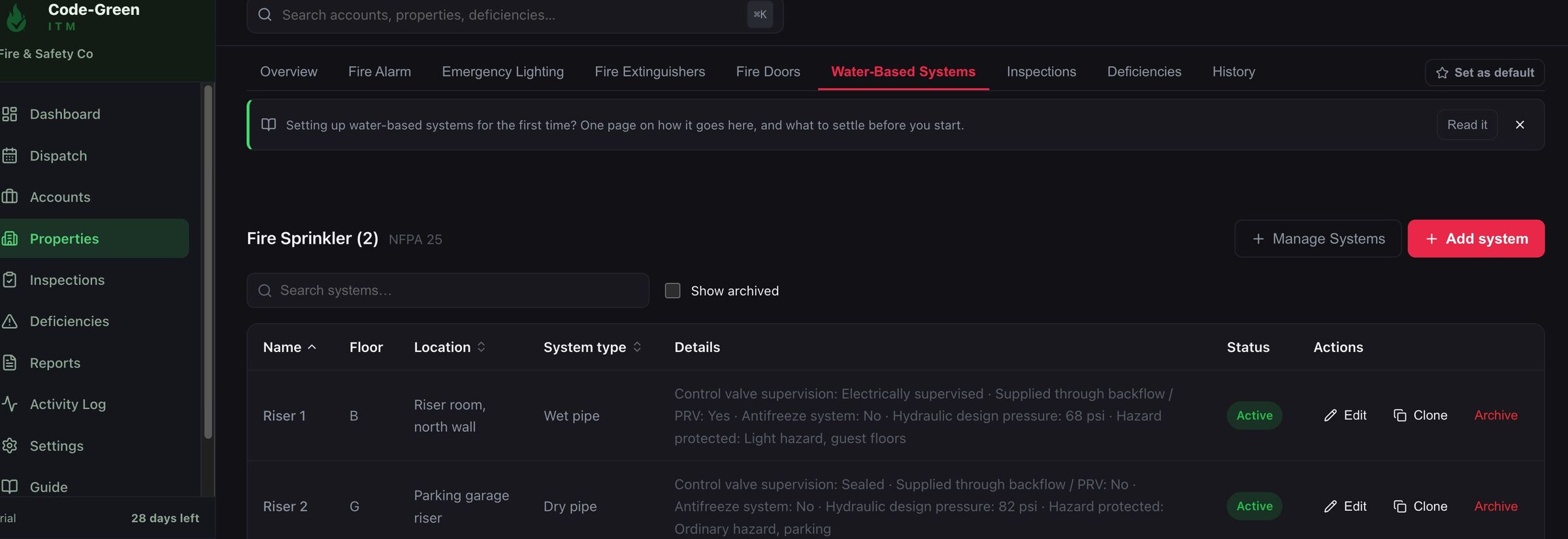
Wet and dry risers, pumps, tanks and mains, each with the facts that decide which items are asked at which interval.
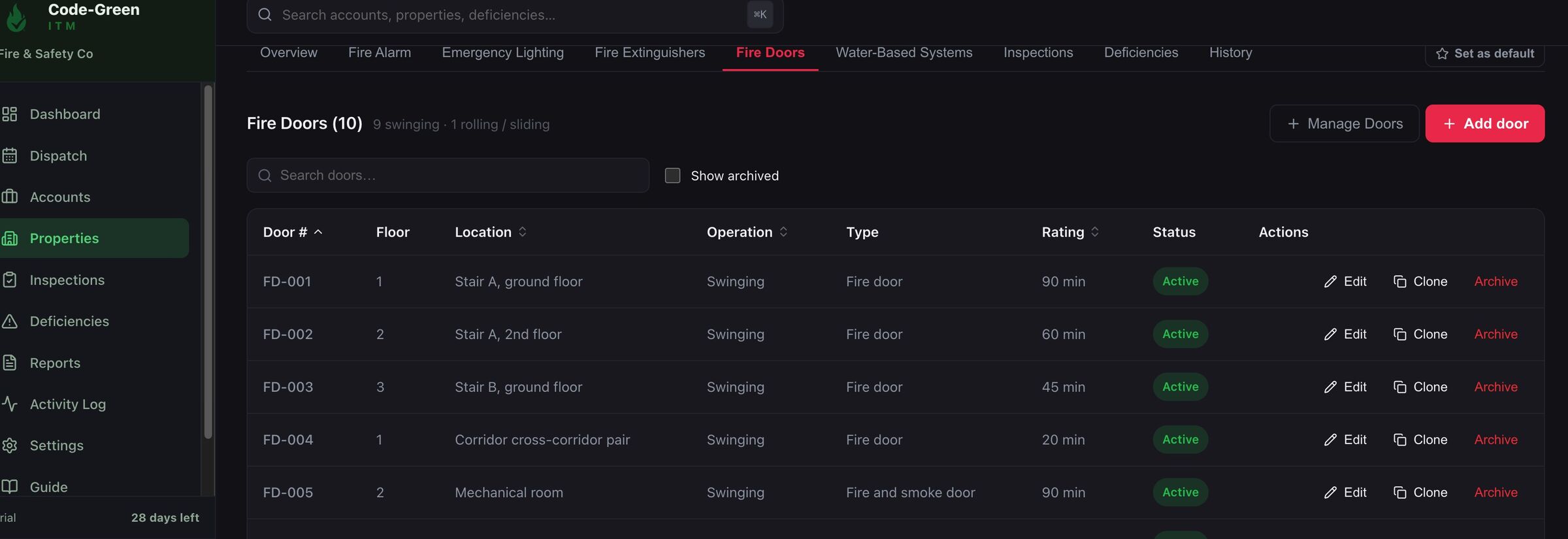
Every assembly with its operation, material, rating and floor, ready for the NFPA 80 checks and the clearance measurements.
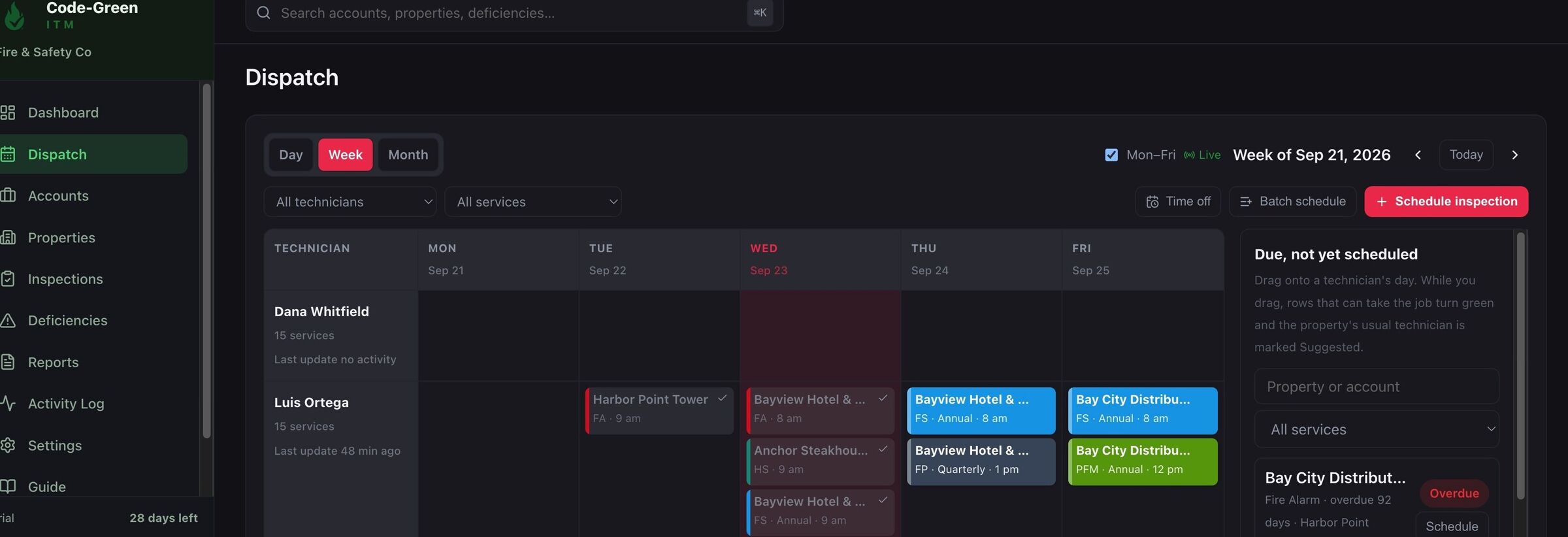
Day, week and month views with every visit live as it updates from the field. Drag from the due list onto a technician, and only qualified technicians turn green.
Recurring revenue split by service, what is overdue, what is due soon, and open deficiencies, first thing in the morning.
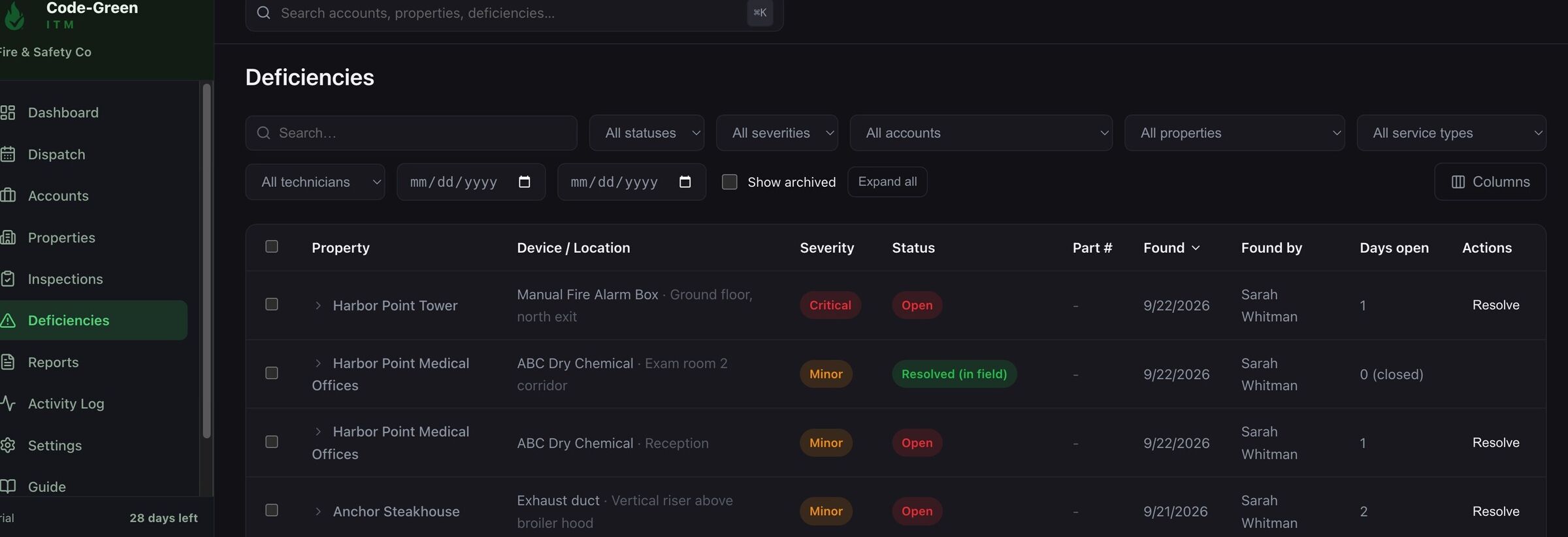
Severity, status, days open, who found it and the photos from the field, tracked until it is quoted, fixed and closed.
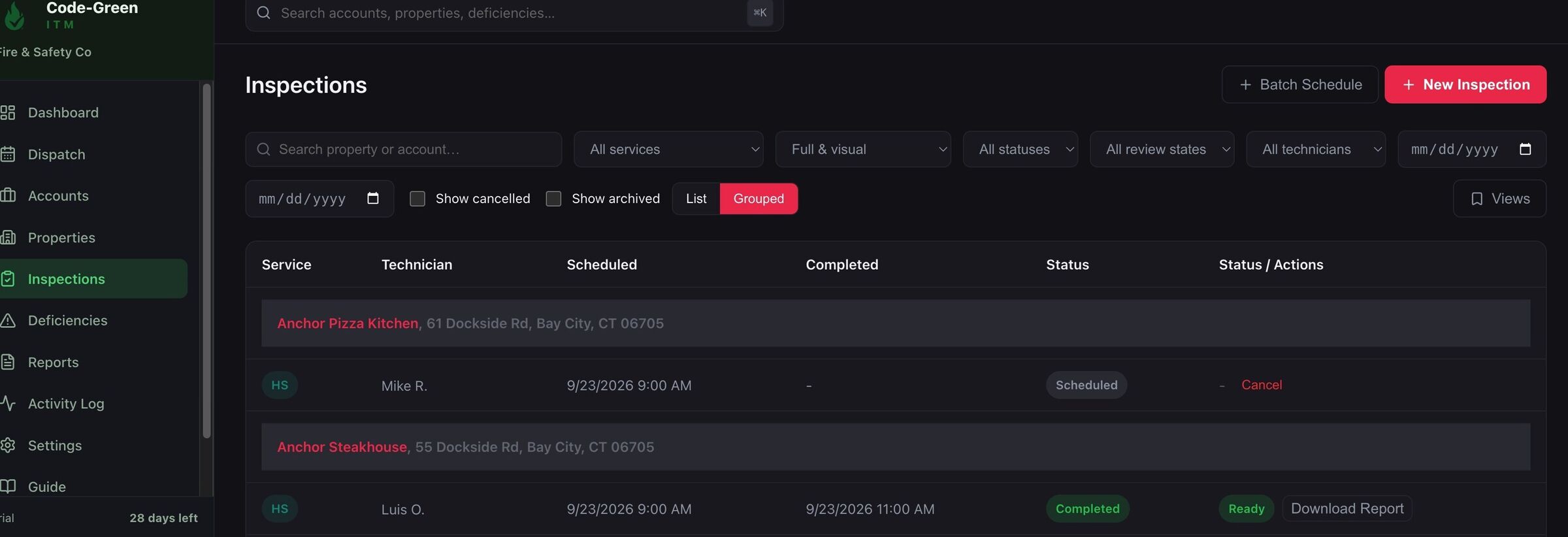
Filter by service, status, review state, technician and date, batch schedule a whole account, and save a filter as a view.
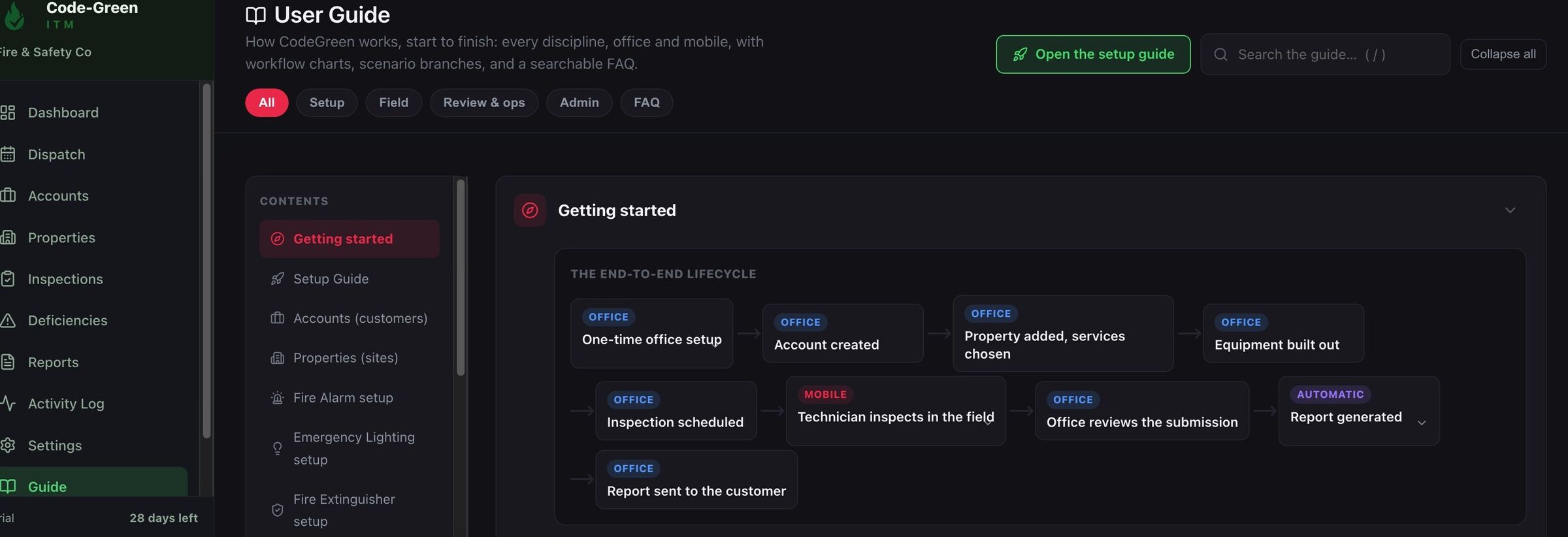
Every discipline’s workflow, searchable, in the office and on the phone, and readable with no signal.
Your time is worth something, and we're not going to make you sit on a Zoom call to hear a price. It's right here, it's the same price the next shop your size gets, and there's no introductory rate waiting to jump at renewal.
Use it for a month and it pays for itself in the part you actually care about: reports finished before you leave the site instead of at the kitchen table.
Running a larger operation? White labeling is available, so the app and the reports carry your own branding. Email us and we will sort it out.
Includes your first technician, on a 1‑year term.
The rate for your first six technicians is locked in and never raised when you grow past six. Each technician after six is added at the 7 and up rate.
1 year $340 / month
You save $110 a month over Monthly, $1,320 a year.
Places are limited. Every application is read one at a time.
Price a month. Savings are against Monthly.
| Rate | Monthly | 1 year | 2 years | 3 years |
|---|---|---|---|---|
| First technicianFirst tech | $200 | $165 | $155 | $150 |
| Technicians 2 to 6, eachTechs 2 to 6 | $50 | $35 | $32 | $30 |
| Technicians 7 and up, eachTechs 7 and up | $95 | $75 | $70 | $65 |
| 1 technician1 tech | $200 | $165save $35 | $155save $45 | $150save $50 |
| 6 technicians6 techs | $450 | $340save $110 | $315save $135 | $300save $150 |
| 10 technicians10 techs | $830 | $640save $190 | $595save $235 | $560save $270 |
Your rate for the first six technicians is locked in and never raised when the company grows past six.
No. All 21 inspection programs are included, from fire alarm and fire pumps to intrusion, video, access control and intercom. Turn on the ones your shop does and ignore the rest.
Pick a term. Monthly has no commitment: $200 a month for your first technician, $50 a month each for technicians 2 to 6, and $95 a month each from the seventh. A 1-year term is $165, $35 and $75. A 2-year term is $155, $32 and $70. A 3-year term is $150, $30 and $65. Six technicians is $450 a month on Monthly and $340 on a 1-year term. Ten technicians is $830 on Monthly and $560 on a 3-year term. The rate for your first six technicians is locked in and never raised when you grow past six. A 1, 2 or 3 year term is billed monthly and renews for the same length unless you cancel in the 30 days before it ends. Add and remove technicians as the crew changes. Office staff are free: up to 2 office users per company, who schedule, review and send reports but are not assigned inspections and do not sign them.
Yes. Intrusion, video, camera cleaning, access control and intercom are their own services. Switch on the ones you sell, and a property shows only the services it has, so a video-only customer never sees a fire tab. Each one schedules, inspects and reports like every other program, with its own frequency and its own price on the property, and all of them are in the same price.
Every service on a property carries its own frequency, price and due date, so each system you look after comes back on the calendar on its own cycle, and the Dashboard totals your recurring inspection revenue by service. Visual inspections, auxiliary systems, camera cleaning and the security programs are all separate lines you can sell alongside the annual.
Yes. Your company details, licence number and logo print on every report as standard, and for larger operations we offer white labeling of the app itself. Email info@codegreenitm.com and we will talk it through.
Yes. Jobs, registers, inspections, photos and signatures are held on the phone. You can even build a fire alarm system from scratch in a basement. Everything syncs when you're back on a connection, and the app shows you exactly what's still waiting.
Paste rows into a Manage grid, or drop in a panel's point report as a PDF and let it read the devices for you to check. The equipment catalog and inspection questions are already loaded when you sign in.
No. They stay internal. The one exception is kitchen hoods, where the hood and suppression system manufacturers print, because they're different companies and the customer needs to know both.
We're taking on a limited number of shops for the final round. You get 30 days free, no card, and a direct line to us. In return, tell us what's wrong and what's missing. This stage is about building what you tell us, not filling seats.
Email info@codegreenitm.com. It comes to Joe and Sam.
Join us. 30 days free, no card, no onboarding fee, and real people right here in the USA on the other end of every email.
Free to anyone either way: the Learning Center, calculators and code reference, and CodeGreen Tools on iPhone or Android.